
Guide
FACEIT stats extension: see match room stats before the game starts
A guide to the numbers a stats extension can show while you are still in the lobby, and how much weight each deserves.
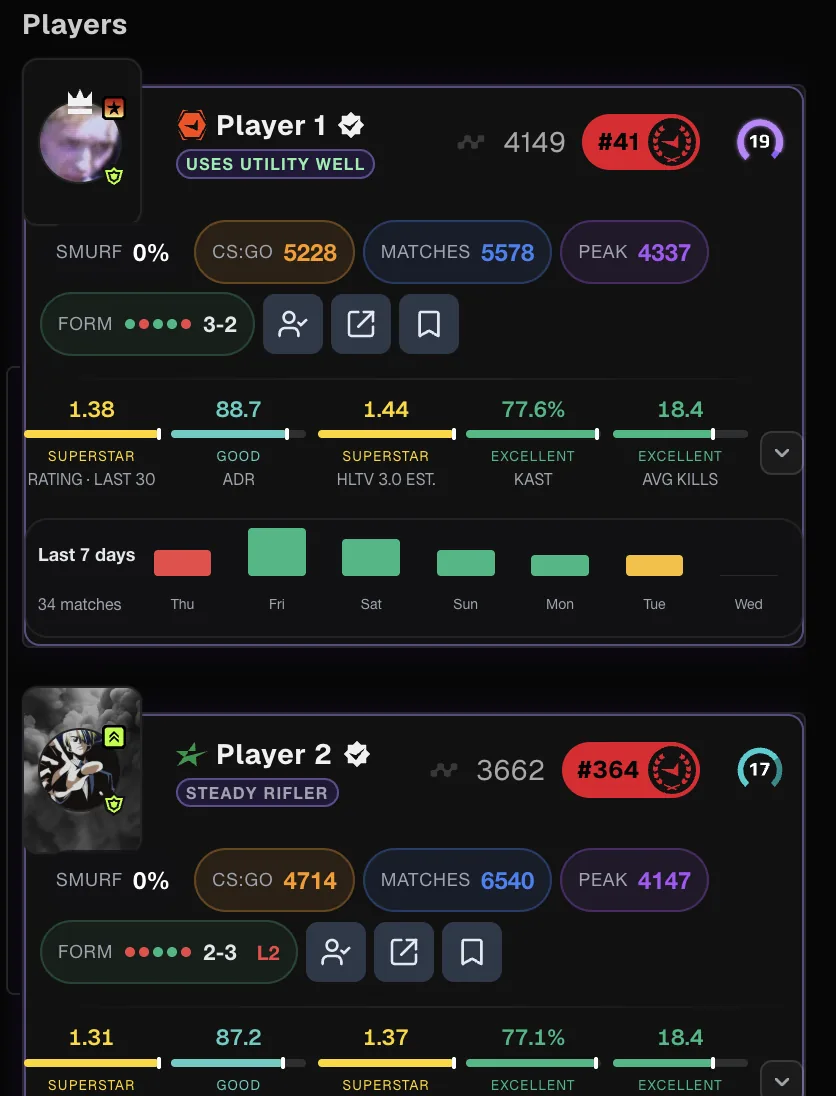
Why look at stats in the match room
FACEIT Extender shows player stats directly in the FACEIT match room, so you can compare level, form, map record and smurf estimate for all ten players without opening each profile.
The match room is where you choose maps and decide how to play. A stats extension puts useful numbers next to each player so you do not need to open ten profiles. FACEIT Extender is a free extension for Chrome and Firefox that adds this context directly on the page, and it uses FACEIT’s own values wherever FACEIT provides them.
What you can see before the match
- Player cards with recent performance, so you can tell who is in form.
- Map win rates for both teams, which makes the map veto a decision backed by data.
- A smurf estimate based on account signals, explained in the smurf guide.
- Extended levels above 10, see Elo and levels explained.
- An AI match briefing that summarises strengths and threats in plain language.
See the features page for screenshots and settings.
How to read the numbers sensibly
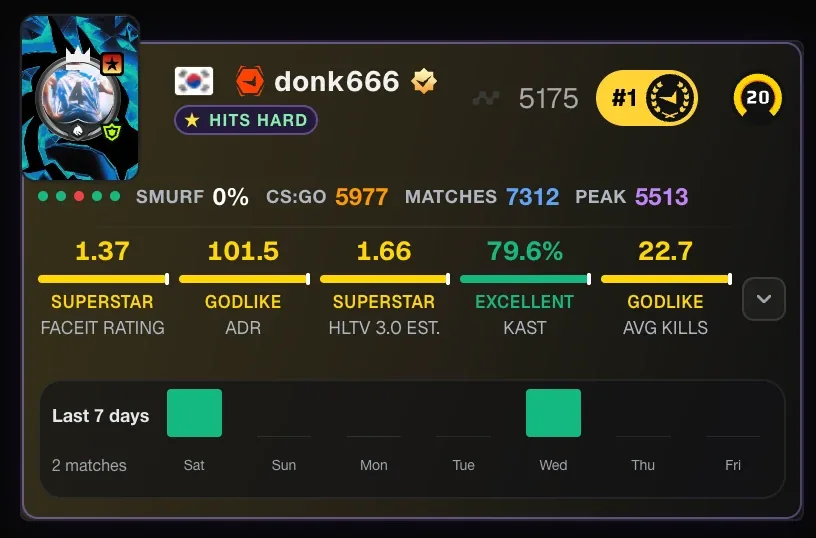
A single statistic rarely settles anything. Check how many matches sit behind a number, whether the sample is recent, and whether it matches the map you are about to play. The guides on what the numbers on a player card mean and K/D, ADR, KAST and rating explain the usual traps.
| Number | Check before trusting it |
|---|---|
| Win rate on a map | How many matches? A handful is noise |
| K/D or rating | Recent form against all-time average |
| Smurf estimate | A signal to consider, not proof |
| Level | Compare Elo, since levels hide a wide range |
A two-minute lobby routine
You rarely have long in the match room, so decide in advance what you will check. Start with the map pool: compare how both teams perform on each map and note one map to ban and one you would like to play. Then scan your own team for anyone whose recent form is unusual in either direction, because that affects how you want to play the first rounds.
Next, look at the opponents. A strong player with a low sample size deserves caution; a player whose account signals look unusual may be a smurf, which is worth knowing before the first fight. None of this should change your plan completely. Use it to pick between two reasonable options, such as an early default versus a fast execute, and then focus on playing the match.
- Check map win rates, with the number of matches behind each.
- Note one teammate and one opponent worth watching.
- Decide your veto before the timer runs low.
- Skip anything you cannot act on in the next two minutes.
Install and set it up
- Download the extension for Chrome or Firefox.
- Open a FACEIT match room and the added panels appear on the page.
- Open the settings to switch on only the features you want.
- After the game, open the match in the demo viewer to review what happened.
If you already use another FACEIT extension, the comparison of FACEIT extensions explains how to run Extender alongside Repeek.
To learn what each badge and bar on a card means, see how to read a player card in the FACEIT match room.
Related guides
FACEIT Extender is free for Chrome and Firefox: download it or read what it is and does.
Frequently asked questions
- What does a FACEIT stats extension do?
- It adds player and team information to FACEIT pages, for example player cards and map statistics in the match room, so you can prepare before the game.
- Is FACEIT Extender free?
- Yes, it is free for Chrome and Firefox.
- Does it work with Repeek installed?
- Yes, with an optional compatibility mode that avoids duplicate stats and badges.
- Are the stats official?
- It shows FACEIT’s own values where FACEIT provides them. Estimates are labelled. It is not affiliated with FACEIT.
Comments
Comments load in your browser.