
Guide
How to check a FACEIT player before the match
Five quick checks in the lobby or match room that tell you who you are about to play with or against.
Why use a routine
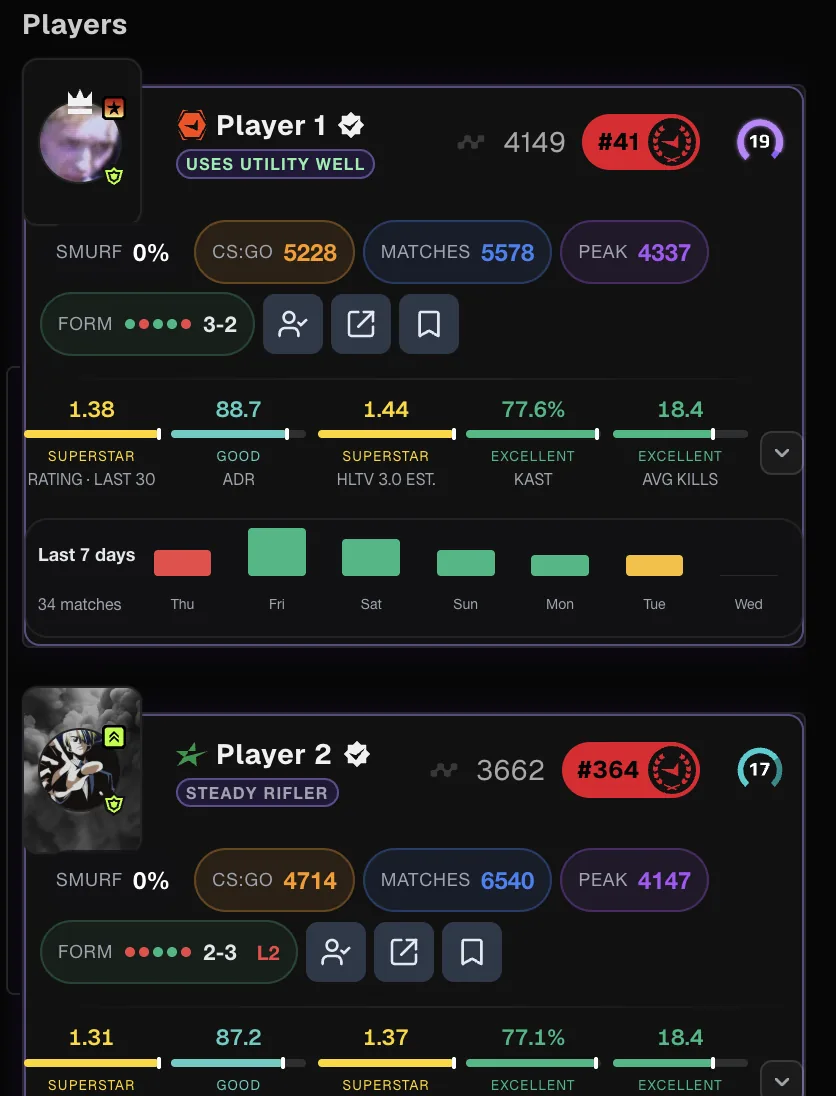
With FACEIT Extender you can size up a teammate or opponent in a minute: check level, form, smurf estimate, map record and past games together in the match room, then save a note.
You have a minute or two between finding a match and the map veto. That is enough to learn who you are playing with, but only if you know what to look for. A fixed routine stops you from fixating on one number.
The routine below uses the match room and lobby, where the extension shows the stats directly on each player. Turn the features on once in the popup and they appear on every match.
The five checks
- Level and Elo. Start with the badge and the Elo on the card. With Extended Levels on, levels above 10 are shown too, so you can tell a level 10 from a level 16. See the Elo levels guide.
- Recent form. With Recent Form on, the last five results appear as win and loss markers. A run of losses tells you the player is cold; it does not say they are bad.
- Extended stats. Read rating, ADR and KAST for the period you chose. Compare players with each other rather than with an ideal number.
- Smurf estimate. With Smurf Detection on, a percentage appears under the name. Treat it as a reason to look closer, not as a verdict. How to spot smurfs explains the signals.
- Maps. The map win rates and each player’s best and worst maps help before the veto. See CS2 map stats and veto.
Have you played them before?
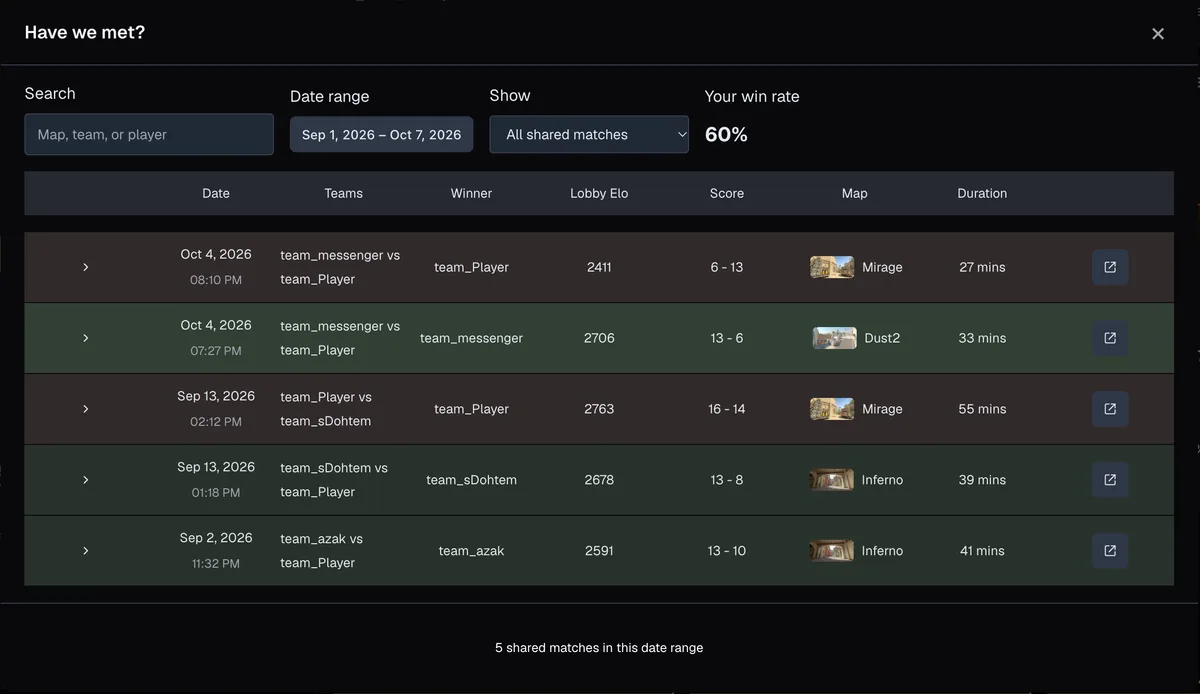
Hover a player and use Have We Met? to see whether you have shared a match, and whether it went well. It shows "Never played together" when you have not. The full guide covers its filters.
Save a note for next time
If someone was excellent to play with, or caused trouble, select Track on their card and add a note and tags. Next time they turn up, you can read what you wrote. The note stays in your browser. See tracking players with notes and tags.
What the checks cannot tell you
Stats are history. They say nothing about whether the player is tired, on a new mouse or in a good mood. A pre-match check should change how you plan, for example who you ask to hold a site, not whether you are polite to your team.
- Do not decide a result from one number.
- Check sample size: a rating over three games means little.
- Use the checks to be kind and clear in comms, not to pick fights.
For a written summary of the same lobby, the optional AI Match Briefing highlights who stands out. Install FACEIT Extender to set it all up.
A few quick tips
Do the checks in the same order every time, so a missing number stands out. If a card has not loaded its stats yet, wait a moment rather than guessing.
If you queue as a party, the lobby view works the same way before the match is found: the party and lobby guide shows what to check there. Use the features page to see which extra stats you can switch on.
- Pick the stats period once and keep it, so comparisons stay fair.
- Look at sample size before trusting a rating.
- Note anyone worth remembering with Track.
Reading cards in a live match room? See how to read a player card in the FACEIT match room.
Related guides
FACEIT Extender is free for Chrome and Firefox: download it or read what it is and does.
Frequently asked questions
- Can I see these checks on my own team?
- Yes. Teammates and opponents are both shown in the match room and the lobby.
- How long does it take?
- About a minute. The stats are already on each card when the room opens.
- Is the smurf estimate reliable?
- It is a signal built from account age, history and results. Use it to look closer, not to accuse anyone.
Comments
Comments load in your browser.