
Guide
AI Match Briefing: what it shows and how it works
A short, numbers-first read of the lobby in the match room: who stands out, how the teams compare, and what data it is based on.
What the briefing is
FACEIT Extender's optional AI Match Briefing gives a short read of the lobby once the map is decided, showing which players stand out and why, and it declines when the data is too thin.
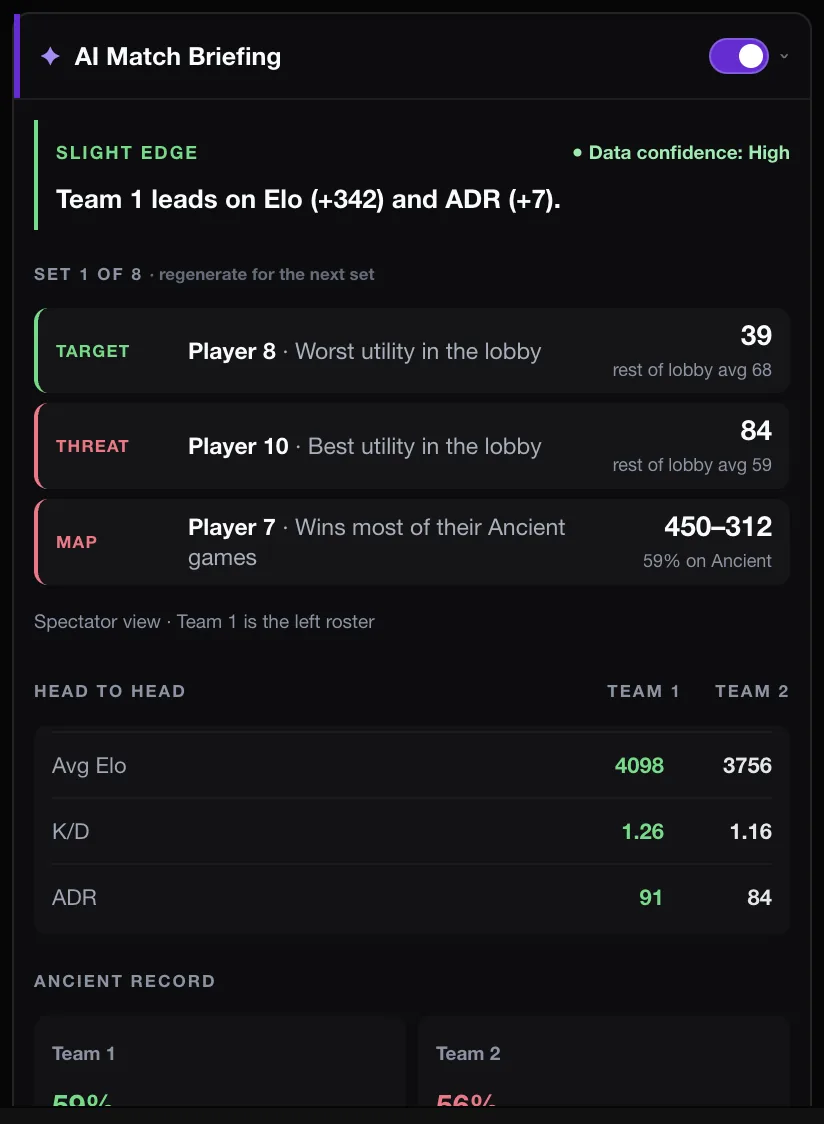
The AI Match Briefing is an optional panel in the FACEIT match room. Once the map is decided, it gives you a short read of the lobby: which players stand out from the lobby average, good or bad, and how the two teams compare.
It is designed to be checkable. Every claim comes with the player’s number and the lobby average beside it, so you can see why a player was mentioned instead of trusting a sentence.
What it shows
- Key reads: players whose stats are clearly above or below the lobby, with the numbers.
- Head-to-head team stats for the two sides.
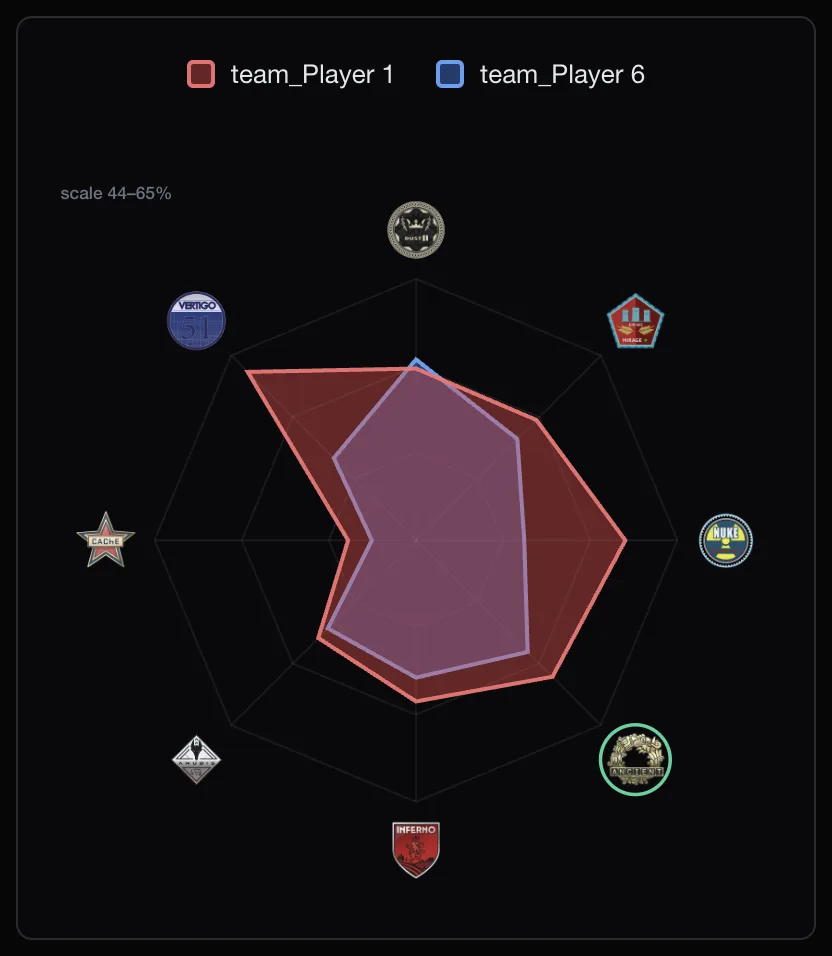
- Each team’s record on the picked map.
- A clear note when coverage is limited because there is not enough data.
You can regenerate a briefing to see another set of reads that meet the same bar. The AI Match Briefing section of the features page has a short summary.
What data it uses
The briefing works from statistics. The extension sends your public FACEIT nickname and player id, which our server checks against FACEIT’s public Data API, plus a statistics-only summary of the lobby. Where available it can add public stats from Leetify.
It never reads your FACEIT session token, cookies or password. The support page answers common privacy questions, and the Privacy Policy has the full detail.
Weekly tokens
Generating a briefing uses one token, and regenerating one uses another. Tokens are a weekly allowance that resets each week and does not carry over. Free users get five a week. A one-time Supporter Tier purchase raises the allowance, and its claim code is entered in the extension popup.
Not everything is AI. Veto advice and all the stats on player cards are calculated in the extension and never spend a token.
Acting on a read
A read is only useful if it changes what you do. A few examples of how players use them:
- An enemy with an opening-kill rate well above the lobby: expect early pressure where they play, and make sure the first contact can be traded.
- A teammate far below the lobby on the picked map: give them a position they are comfortable with instead of the one they usually take.
- Teams that are close on paper: the match will likely come down to rounds and utility, not one standout player.
The briefing does not predict a winner, and it cannot know how anyone feels today. Treat it as a short summary of the numbers you would have looked up anyway.
When it stays quiet
A briefing that guesses is worse than none. If the players in the lobby have too few recent matches, the briefing says coverage is limited, or skips the read, instead of inventing a story from thin data. That is most common with new accounts and very low-activity players.
Turning it on
- Install FACEIT Extender for Chrome or Firefox.
- Open the extension popup and switch on AI Match Briefing. It is off by default.
- Join a match. The briefing appears in the match room once the map is decided.
For a step-by-step walkthrough of building a briefing in the match room and reading each part, see how to build and read an AI Match Briefing.
Related guides
FACEIT Extender is free for Chrome and Firefox: download it or read what it is and does.
Comments
Comments load in your browser.