
Guide
FACEIT 2D replay: a free CS2 2D demo viewer you can use online
A tour of the 2D replay: what the map shows, which controls matter first and how to avoid reading too much into it.
What a 2D replay shows
FACEIT Extender includes a free 2D replay viewer that redraws a finished FACEIT CS2 match from above in your browser, so you can pause, rewind and follow every player without launching CS2.
A 2D replay redraws a match from above. You see every player as a marker on the radar-style map, with kills, bomb events and utility placed on the timeline. Because it is built from the demo data, you can pause, rewind and change speed freely, which a normal video recording does not allow.
It is useful for questions about space and timing: who held which angle, how long a rotation took, whether a smoke landed before or after a team committed. It does not replace the game for aim or exact sight lines.
Open a FACEIT 2D replay online
- Open the CS2 demo viewer on a desktop browser.
- Import a .dem or .dem.zst file from a finished match, or use the extension’s Demo Viewer link on a completed FACEIT match room.
- Wait for the local parse to finish, then choose a player and a round.
- Press play. Use the speed control for slower sections, and the timeline to jump between kills.
There is nothing to install for a file you already own, and the demo stays on your device. If you want the match-room shortcut, add the extension. The complete walkthrough for opening demos compares this with in-game playback.
The controls worth learning first
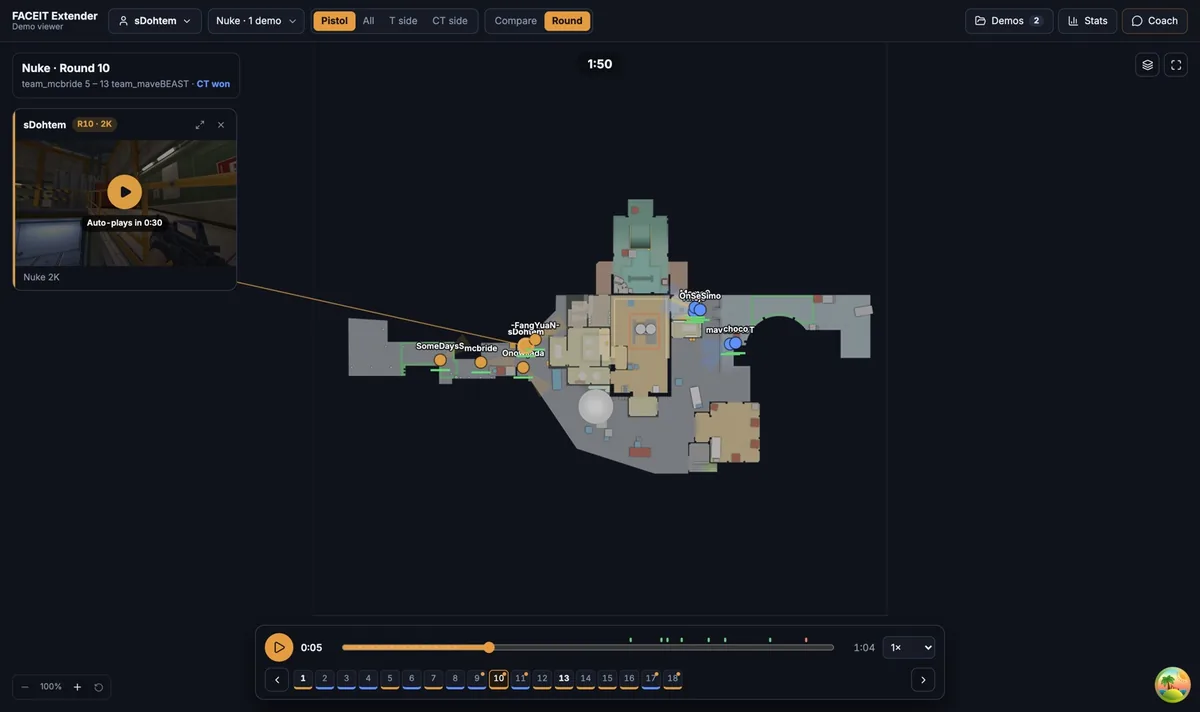
- Player selection: follow one player so their movement is easy to track.
- Timeline and kill markers: jump to just before a fight instead of scrubbing blindly.
- Playback speed: slow down fast executes, speed up quiet rotations.
- Compare mode: lay several rounds of the same player on one map to look for repeated routes.
- Drawing tools: sketch arrows and notes to explain a change to a teammate.
Each of these has its own short tutorial: compare player routes, review a round with the kill timeline and draw arrows and notes. The feature overview lists everything the viewer can do.
A practical first session
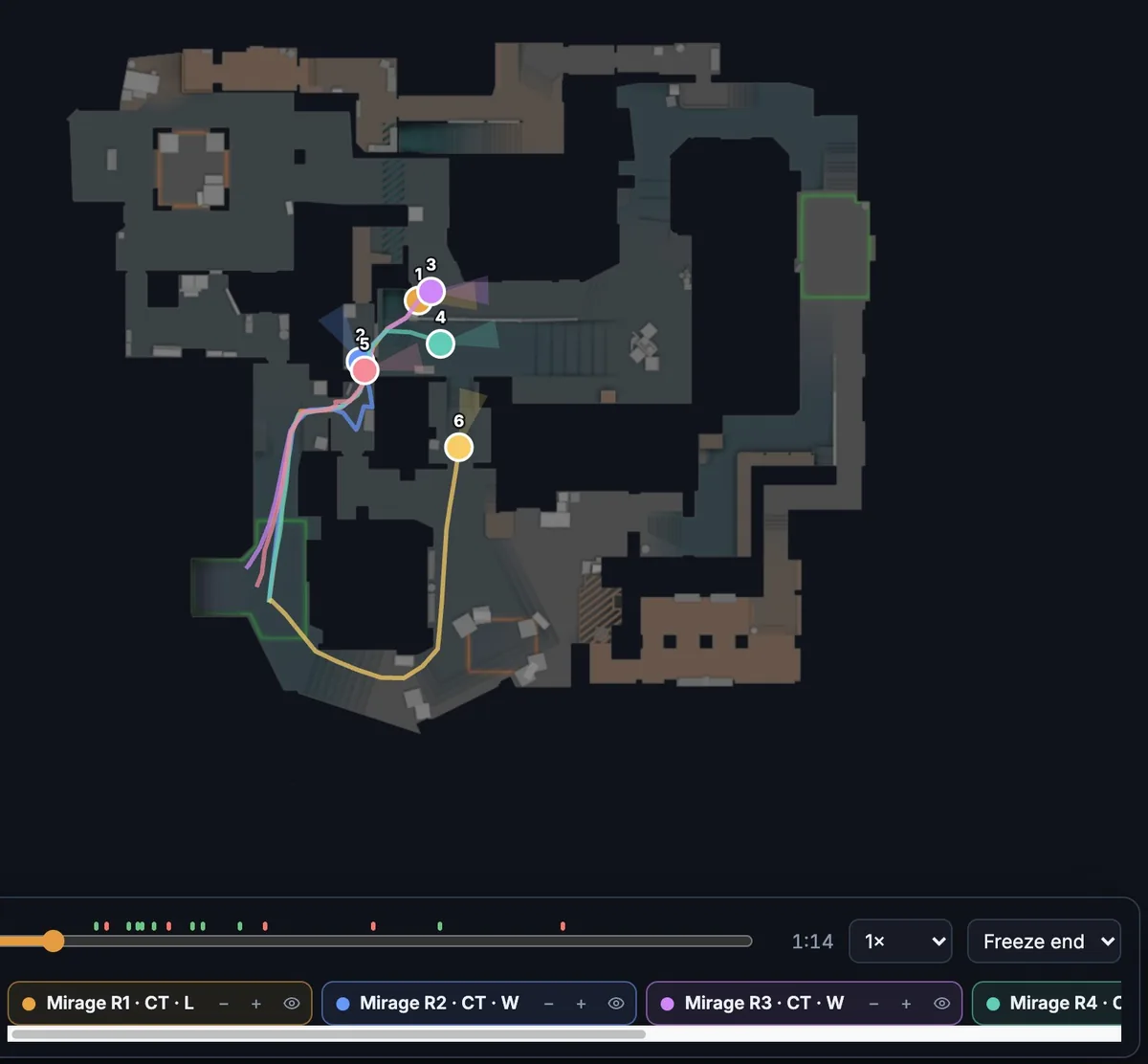
Load one match you remember and select yourself. Play the first ten seconds of three different rounds, pausing whenever the first shots are fired. Ask the same three questions each time: where was my closest teammate, which route did I take, and had utility landed before I committed? Three rounds are enough to tell whether your opening habits are consistent or situational.
Then switch the side filter and repeat as the other side. Defending and attacking use space differently, so a habit that is fine on one side can be a problem on the other. Finish by writing a single, specific change for the next game, for example waiting for a teammate’s flash before crossing a choke point, and check your next match to see whether you did it.
- Keep sessions short; twenty focused minutes beat a full match replay.
- Review a win as well as a loss, since good habits are worth copying.
- Share a drawn note with a teammate rather than a long message.
Know what the 2D view can and cannot tell you
A marker position is accurate for movement, but it hides crosshair placement, flashes and what a player saw. Treat the map as a way to find rounds worth studying, then check the situation in context. One round proves little; a pattern across several rounds is more reliable.
The viewer is an independent tool and is not affiliated with FACEIT. Demo availability depends on FACEIT.
Related guides
FACEIT Extender is free for Chrome and Firefox: download it or read what it is and does.
Frequently asked questions
- What is a CS2 2D demo viewer?
- A tool that rebuilds a match from its demo file and shows players, kills and utility on a top-down map you can pause and scrub.
- Is there a FACEIT 2D replay I can use online?
- Yes. The FACEIT Extender viewer runs in a desktop browser tab, accepts demo files you have, and can be opened from a finished match room when the extension is installed.
- Does it work on a phone?
- The replay workspace is designed for a desktop browser.
- Does the viewer cost anything?
- The viewer and the extension are free to use.
Comments
Comments load in your browser.