
Guide
FACEIT stats explained: what the numbers on a player card mean
Where FACEIT player stats come from, which period to look at, and how to read them without over-trusting a single number.
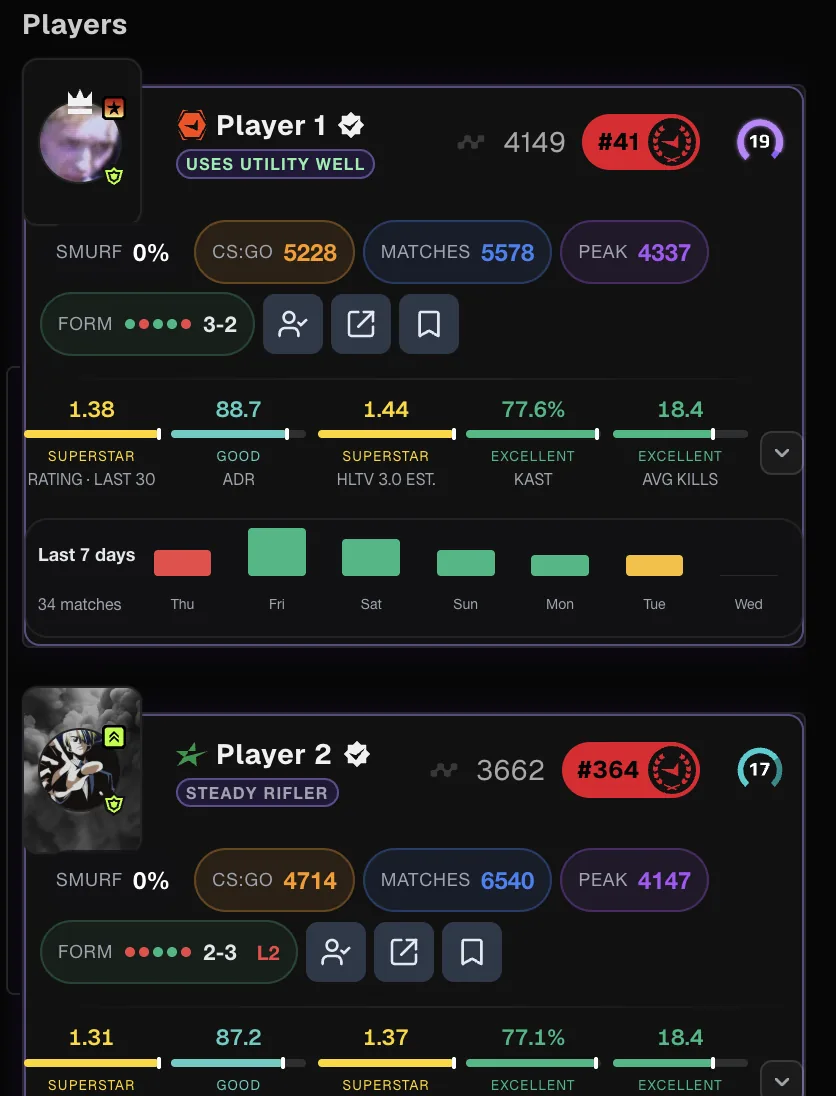
Where the stats come from
FACEIT Extender shows FACEIT's own stats in one place; this guide explains where to find them, which time period to pick and how to read rating, ADR, KAST and recent form.
Every number you see about a player on FACEIT starts from the same place: the results of the matches they played on the platform. FACEIT records kills, deaths, assists, damage, headshots, rounds and the result of each match. Some of that is shown on the profile page; most of it is only visible if you open matches one by one.
FACEIT Extender reads that public match data in your browser and puts a summary next to the player, so you do not have to leave the match room to look someone up. It does not have access to anything private: no voice, no demos you have not opened, and nothing from a player’s account settings. If FACEIT has no data for a period, the card says so instead of guessing.
You can see the full list of what appears on a card on the player stats section of the features page.
What a player card shows
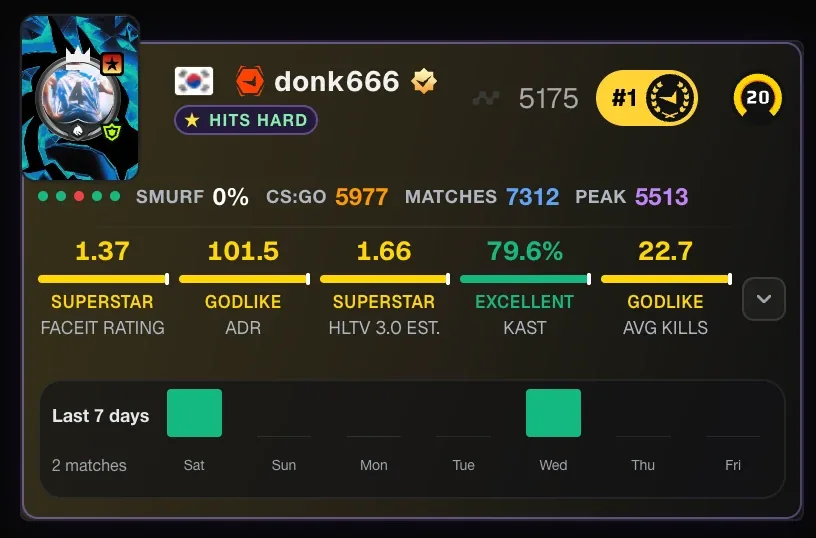
With extended stats switched on, a player card in the match room or lobby can show:
- An HLTV 3.0 rating estimate with a tier colour, so you can tell an average game from a strong one at a glance.
- ADR (average damage per round), KPR (kills per round), DPR (deaths per round) and KAST.
- Round Swing, multi-kill detail and clutch rates for 1v1 and 1v2-or-more situations.
- Recent form as the last five results, the player’s best and worst maps, and a seven-day activity chart.
- Optional account context: peak Elo from recent matches, total match count and country flag.
Each item has its own switch in the extension popup, so you can keep the card as small as you like. If you are new to these abbreviations, read what K/D, ADR and KAST mean on FACEIT first.
Choosing a time period
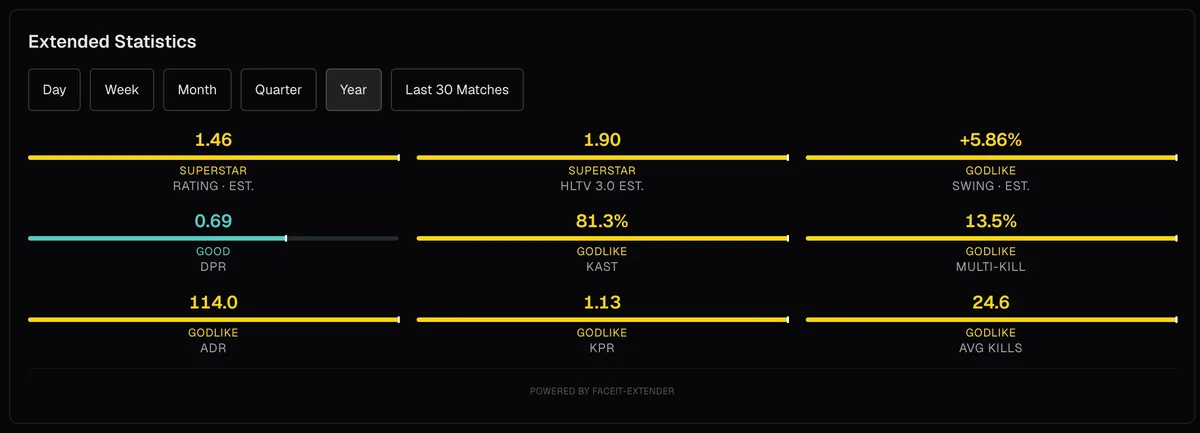
The same player can look very different depending on the window you choose. The period dropdown on the card offers day, week, month, quarter, year and the last 30 matches.
| Period | Good for |
|---|---|
| Day / week | Is this player in form right now, or on a bad streak today? |
| Month / quarter | A steadier picture that still reflects the current game version and map pool. |
| Year | Long-term level, but it hides recent improvement or decline. |
| Last 30 matches | A fixed sample size, useful for comparing players who play at different rates. |
Short periods have small samples. A player with three matches this week can show a rating that means very little. Look at the match count before you draw conclusions.
Reading stats without overreacting
Stats describe the past; they do not decide the next match. A few habits make them more useful:
- Compare a player with the lobby, not with professionals. A 75 ADR is very different at level 4 and at level 10.
- Prefer rates (per round) over totals. Totals mostly measure how long matches lasted.
- Check the sample. Ten matches is a hint; a hundred is a pattern.
- Look at maps. A player with a strong overall rating can still be weak on the map you are about to play, which is what map stats and veto advice are for.
If you would rather not read tables, the extension can also write one plain line per player that says what stands out, using fixed rules on the same FACEIT stats.
Getting started
Stats are part of the free extension. Install FACEIT Extender for Chrome or Firefox, open a match room or lobby, and the cards fill in as data arrives. The setup guide in the docs explains the presets if you want a quick starting point instead of switching items one by one.
Reading a card in the live match room? See how to read a player card in the FACEIT match room.
Related guides
FACEIT Extender is free for Chrome and Firefox: download it or read what it is and does.
Comments
Comments load in your browser.