
How-to
Ask the demo viewer’s AI coach and see it draw on the map
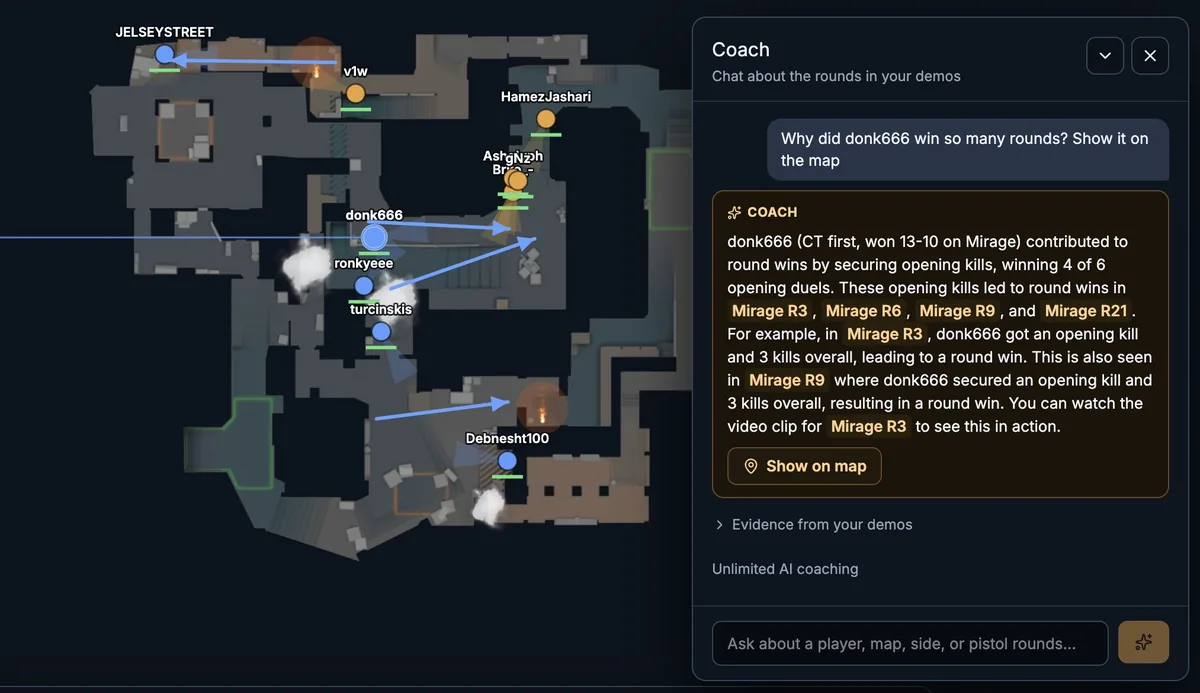
The Coach answers from your demos, links to the rounds behind its claims and can draw them on the map.
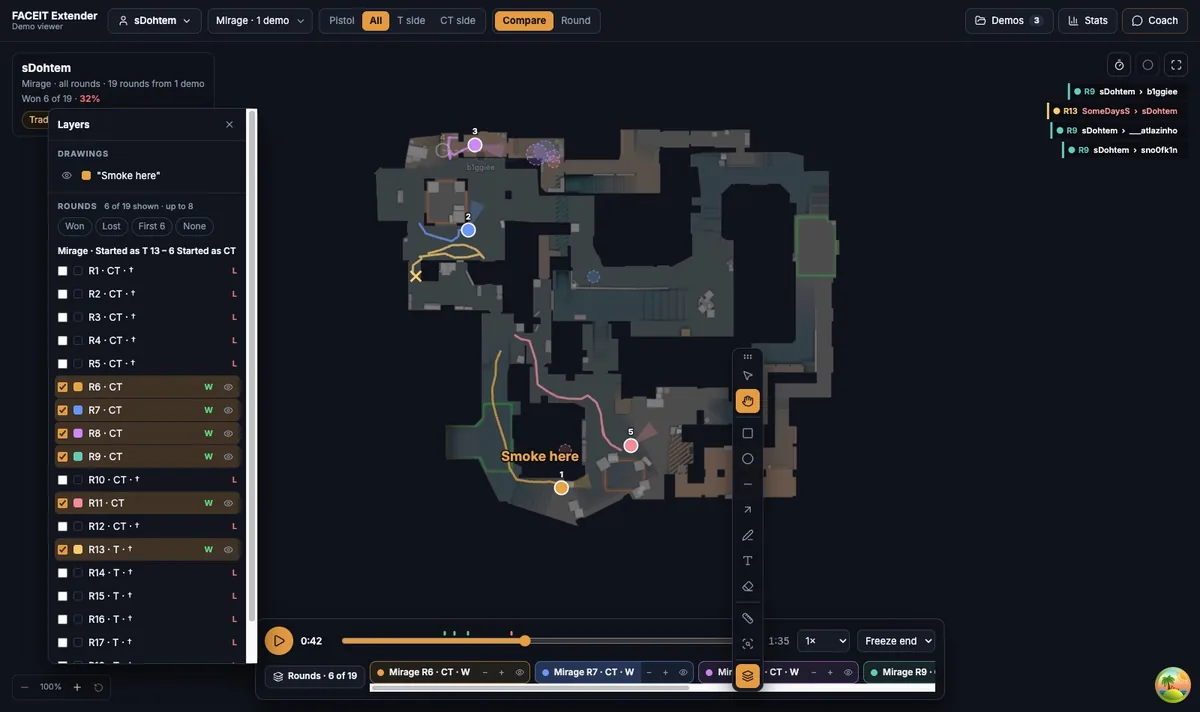
Start with the Stats tab
FACEIT Extender's demo viewer has a Stats tab and an AI coach that answers questions about a player or map, shows the rounds behind each answer and can draw on the map.
Stats sums up the selected player across the rounds in view. It shows rounds won, kills and deaths, opening duels, grenades thrown per round, the average time to the first fight, plants and average buy.
Change the rounds filter or the map first, because Stats follows the same choices as Compare.
Ask the Coach
- Open the Coach tab.
- Pick one of the suggested questions, or type your own in Ask about a player, map, side, or pistol rounds…
- Wait for Thinking… to finish.
- Read the answer, then open Evidence from your demos to see the facts it is based on.
The suggestions depend on what your demos contain. Shots and fights appear if the import includes sound data, and questions about comms appear if the demo recorded voice.
Show the answer on the map
The Coach prefers tools to prose for spatial questions. If you ask about routes, positions, deaths or utility, it answers with a Show on map button (or Show in 3D, or Open round) that draws the evidence over the replay. A short note explains why it chose the 2D or 3D view.
Round links in the answer, and buttons in the evidence, open the round behind the claim. A star marks a standout round.
Ask about an area you draw
- Select the Ask the coach about an area tool on the toolbelt, or press Q.
- Drag a rectangle over the part of the map you care about.
- The Coach answers about what happened in that area.
How the allowance works
At the bottom of the Coach tab you see how many weekly AI tokens are left, or Unlimited AI coaching if your account has it. The weekly allowance is also described in the AI briefing guide. Stats and the viewer itself do not use tokens.
Questions that work well
- How does this player play pistol rounds on this map?
- Show the fights this player lost and the shots they fired.
- How much utility does this player use on T side?
- What did the team call before their deaths? (needs recorded comms)
Be specific about the player, map and side. A narrow question gets a narrow, checkable answer.
Use the Coach carefully
The Coach reads the evidence the viewer built from your demos. It can be wrong, and it cannot see everything. A claim about a position or a habit is a reason to look at the rounds, not a verdict.
Keep your questions focused on one player and one map at a time. The more you narrow the rounds filter, the more specific the evidence the Coach has to work with, and the easier it is for you to verify.
Where to go next
Treat every answer as a lead to verify. Open the round, scrub to the moment and check it yourself. Open the free CS2 demo viewer to try it on your own matches, and install the extension if you want a Demo Viewer shortcut on finished match rooms.
Related guides
FACEIT Extender is free for Chrome and Firefox: download it or read what it is and does.
Frequently asked questions
- Is the Coach free?
- The viewer is free. The Coach uses a weekly allowance of AI tokens and the tab shows how many you have left. Supporters get a larger allowance.
- Does the Coach make things up?
- It is given evidence from your demos and links the rounds behind each answer. Open them to check before you act.
- Do I need to sign in?
- Yes, for an AI answer. The viewer shows a Sign in with FACEIT button when needed, and the evidence below is still readable without it.
Comments
Comments load in your browser.