
Guide
How to watch FACEIT demos in CS2: in-game or in your browser
Compare the in-game route with a browser viewer, and pick the one that fits the question you are trying to answer.
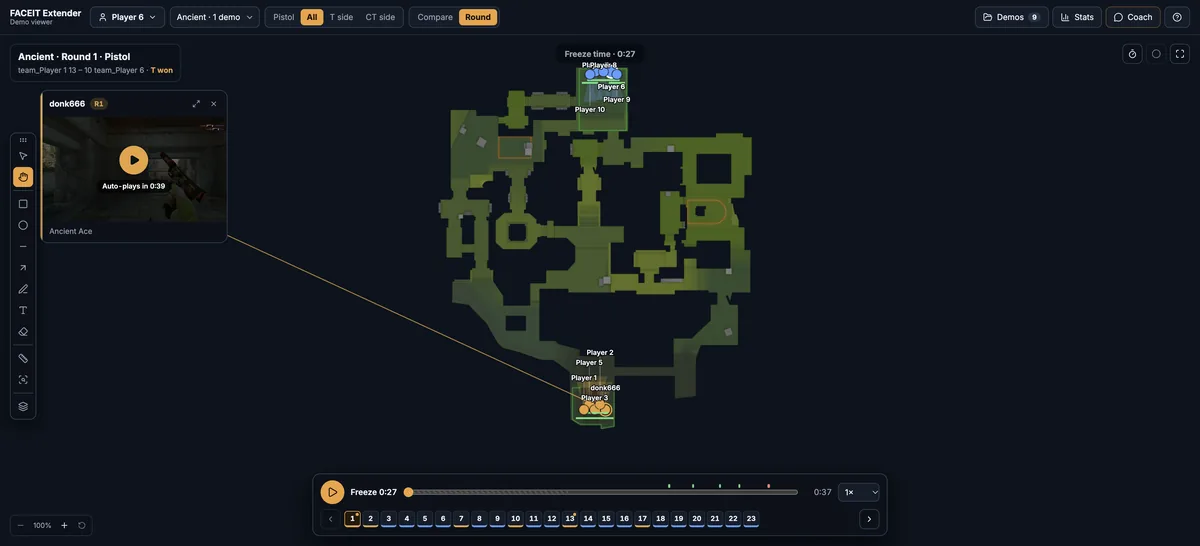
What a FACEIT demo actually is
A demo is a data recording of a finished match, not a video. Counter-Strike 2 can play it back from any camera, and other tools can rebuild it as a map. FACEIT offers a download for completed matches on the match room page, and availability is controlled by FACEIT. Older matches may no longer have a file.
Which way you watch depends on your question. Aim, crosshair placement and what a player could see need the game itself. Routes, timing, trades and utility are easier to judge on a map. Many players use both.
Option 1: watch the demo inside CS2
- Open the finished match room on FACEIT and download the demo. It is usually delivered as a compressed archive.
- Extract it and place the .dem file in the game folder Counter-Strike 2 uses for demos.
- Start CS2, open the console and load the file with the playdemo command followed by its name.
- Use the demo controls to pause, change speed, jump through rounds and switch the camera between players.
This is the most exact option and the only one that shows what a player really saw. The cost is time: you must download, extract, launch the game and wait for the map to load before you review a single round.
Option 2: watch it in the browser, no CS2 launch
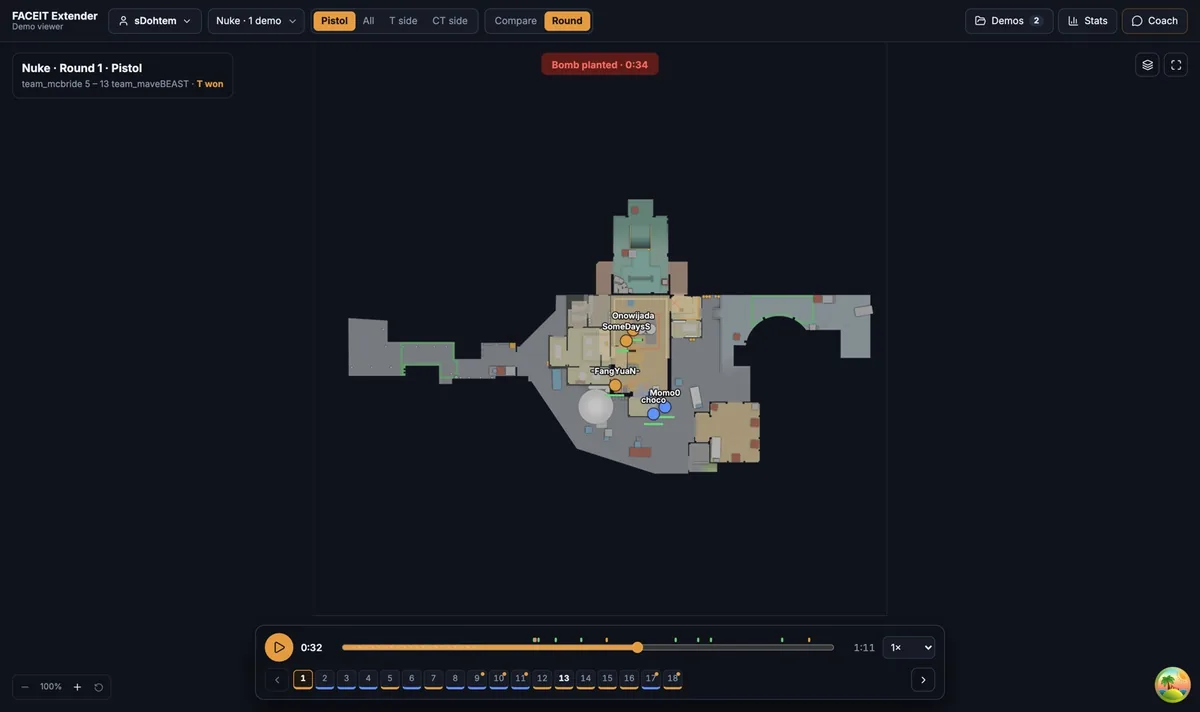
The free CS2 demo viewer opens a demo in a desktop browser tab and reconstructs the match on a 2D map. You can import a .dem or .dem.zst file you already have. If you installed the extension, a Demo Viewer link on a finished match room opens the match for you without a manual download step.
The file is parsed locally in your browser rather than uploaded. Once loaded you can follow any player, scrub the timeline, jump to kills and compare several rounds on one map. The step-by-step import guide covers supported files and troubleshooting.
A reconstructed map is a good way to study routes, timing and positioning. For precise aim or exact line of sight, use the game’s own playback.
Which route should you use?
| Question | Better route |
|---|---|
| Did I miss a spray or peek the wrong angle? | In-game demo playback |
| Was I isolated when the fight started? | Browser viewer: see all ten players at once |
| Do I repeat the same CT route every round? | Browser viewer: compare mode |
| Where did a smoke or flash land? | Either; the map view makes timing easier to compare |
| I want a quick look from a laptop between games | Browser viewer: no game install needed |
To get started, install the extension for Chrome or Firefox, finish a match and use the Demo Viewer link, or simply open the viewer and import a file. Then follow the round review walkthrough for a repeatable routine. If you want to know how the 2D view works, read about the 2D replay viewer.
A five-minute review routine that works either way
- Pick one question before you press play, such as why you died first in a certain round.
- Pause just before the first fight and check where your nearest teammate stood.
- Compare the round with another one on the same side and map to see whether it was a pattern.
- Write down one change to try in your next match.
Pair the replay with player stats and what they mean so a single round does not drive your whole conclusion.
Frequently asked questions
- Can I watch a FACEIT demo without launching CS2?
- Yes. A browser demo viewer reconstructs the match on a map from the demo file, so you do not need to start the game. It is best for routes, timing and teamwork rather than precise aim.
- Where do I find the demo for a FACEIT match?
- Open the finished match room on FACEIT and look for the demo download. If there is none, FACEIT has not made it available for that match, for example because it is too old.
- Do I need to unpack the demo before importing it?
- A .dem.zst file can be imported directly. A ZIP or other archive must be extracted first.
- Is the demo uploaded anywhere?
- The viewer reads the demo in your browser. Optional AI questions send selected statistics, not the demo file.
Comments
Comments load in your browser.