
Guide
FACEIT party and lobby stats: what to check before you queue
Stats on lobby cards, your party’s map records, estimated server ping, and extended level badges for party members.
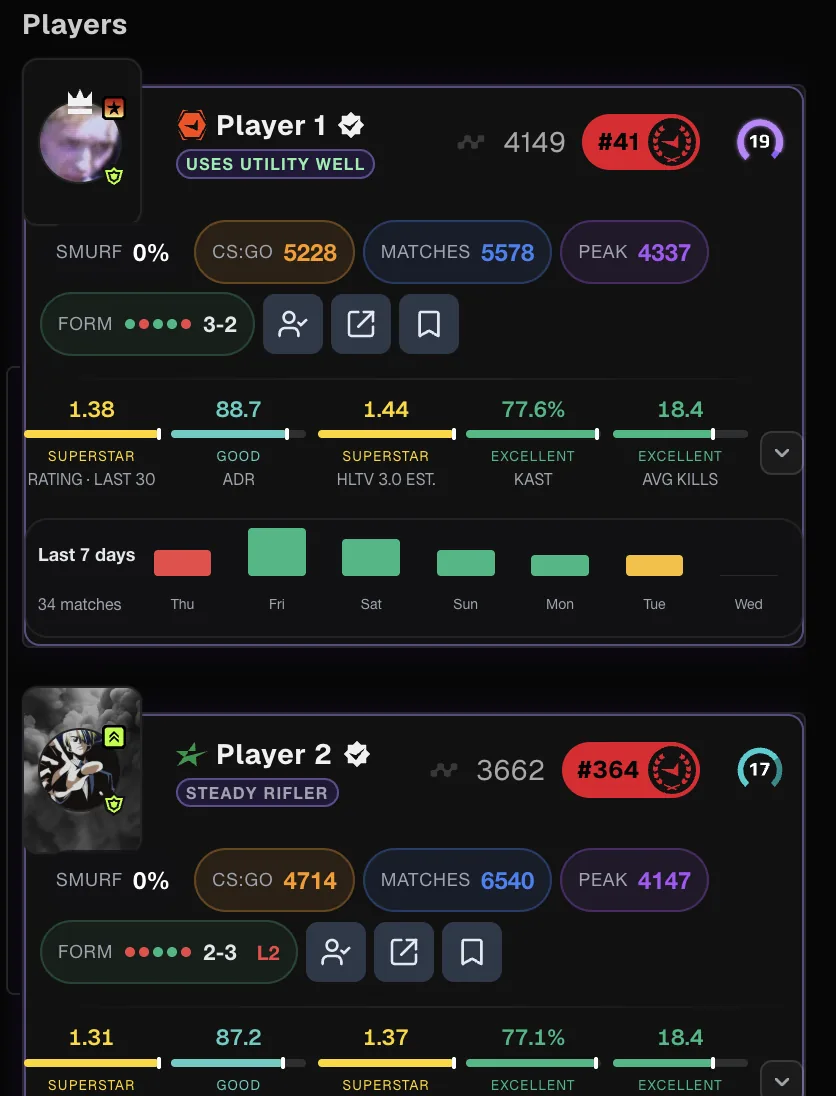
Why look at the lobby
FACEIT Extender adds player stats by period, party map win rates, server ping by region and extended levels to the matchmaking lobby and party cards.
Most decisions about a match happen before it starts: who you queue with, which server region you pick, and which maps your party is comfortable on. FACEIT’s matchmaking lobby shows levels and names. FACEIT Extender adds the numbers behind them.
Player stats on lobby cards
With extended stats on, each lobby card can show rating, ADR, KPR, DPR, KAST and other available stats. A period dropdown chooses the time span, the same way it does in the match room. Country flags from the player’s FACEIT profile can be shown with a separate switch.
The stats guide explains how to pick a period and read each number.
Your party’s map win rates
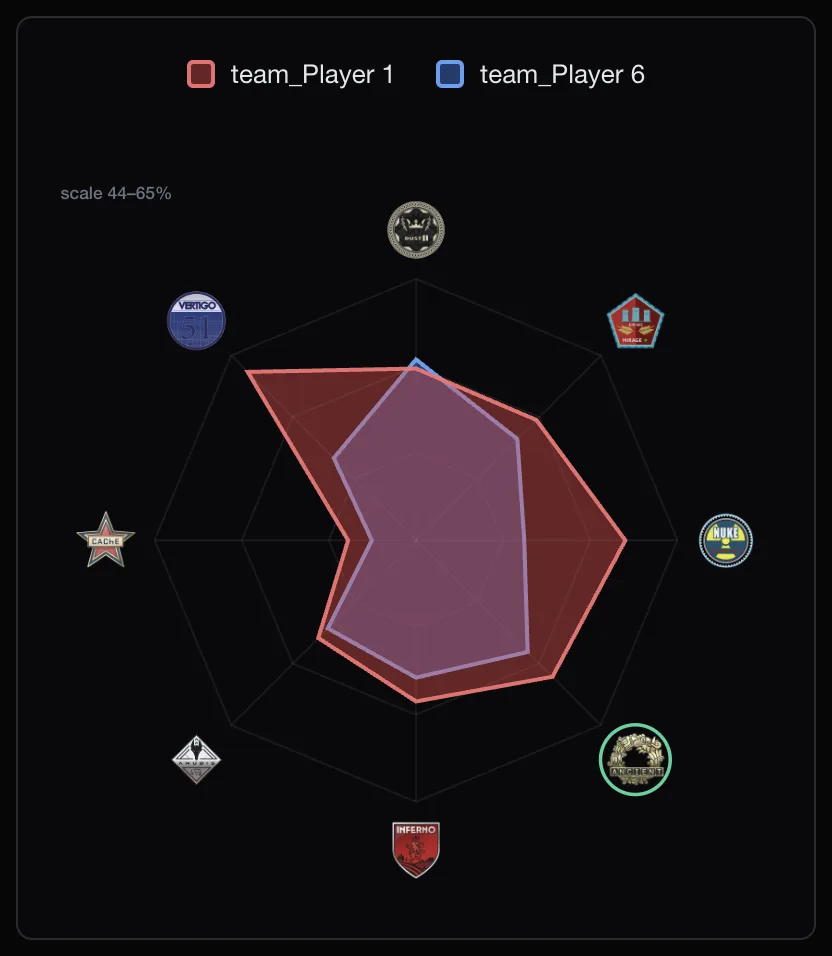
The map pool cards in the lobby can show your party’s win rate on each map. That tells you, before the match, which maps to keep and which to ban if you get the choice. This needs extended stats to be switched on. Once you are in the match room, veto advice compares both teams on the same maps.
Server ping by region
On the Servers tab the extension shows an estimated ping to each server region. It is an estimate from your browser, not a measurement inside CS2, but it is a useful guide when you choose between regions with your party.
Ping matters more than most players admit. A difference of 30 or 40 milliseconds is enough to lose close peeks, so it is worth a look when party members live in different countries and the closest region for one is not the closest for everyone.
Party levels and layout
- Party cards show extended levels 11–20 for party members above level 10.
- Separate switches can hide FACEIT’s ladder or header in the lobby to make room for the cards.
- Optional automation can accept party invites for you; each helper has its own switch on the automation settings.
Automation acts on your behalf and may conflict with FACEIT’s rules. It is off unless you turn it on.
A quick pre-queue checklist
- Check the map cards: which maps has your party actually won on recently, and which has it avoided?
- Look at the server ping estimates and agree on regions that suit everyone, not only the party leader.
- Glance at each party member’s recent form. A player on a long losing streak might prefer a short break.
- Set the stats period to something recent, such as a month, so the numbers reflect how you play now.
None of this takes more than a minute, and it saves arguments during the veto.
Set it up
Install the extension, open the Player Lobby tab in the popup, and switch on extended stats, map win rates and server ping. The Balanced preset turns on lobby ping and map win rates for you.
To change what the lobby and party screens show, see FACEIT lobby and party layout options.
Related guides
FACEIT Extender is free for Chrome and Firefox: download it or read what it is and does.
Comments
Comments load in your browser.