
Guide
Is the CS2 demo viewer free? What stays on your device
The viewer is free to use. This explains the one allowance that applies and what is saved in your browser.
What is free
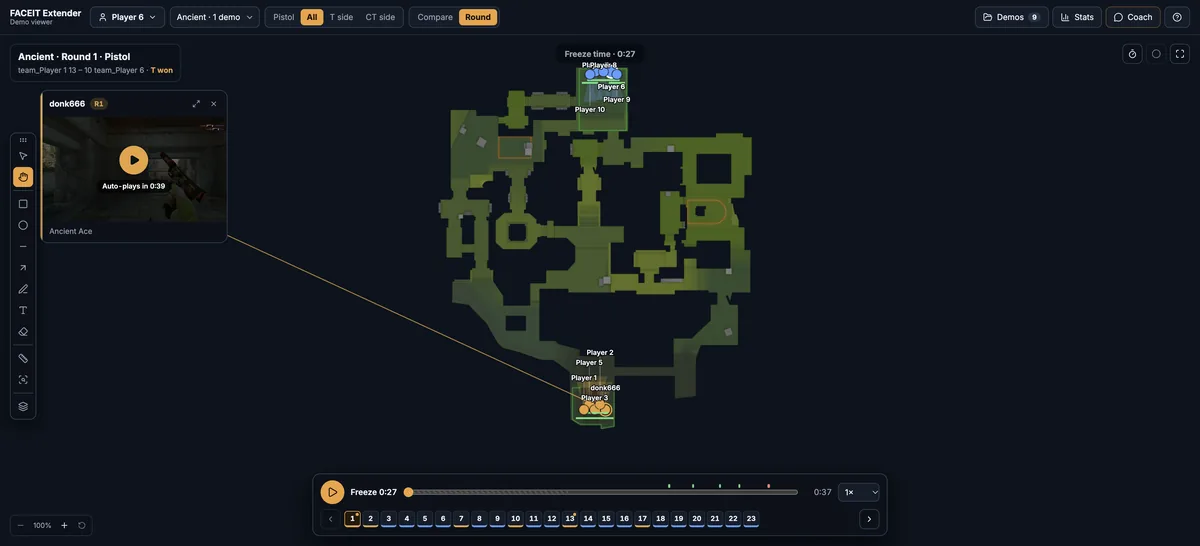
FACEIT Extender's CS2 demo viewer is free to use, and your demos and drawings are stored on your device; this guide lists what is included and how the AI coach allowance works.
You can use the demo viewer without paying: import demos, replay rounds in 2D or the 3D beta, compare rounds, use the layers, the Stats tab, voice comms and the drawing tools.
The browser extension is free as well, and its Demo Viewer link on finished match rooms simply saves a manual download.
The one allowance
The Coach is the only part that uses an allowance. It runs on weekly AI tokens. The Coach tab tells you how many you have left, or that you have unlimited coaching. Without a token left the evidence from your demos is still readable. A one-time Supporter Tier purchase raises the allowance, as described in the AI briefing guide.
Signing in with FACEIT is needed for an AI answer.
What is stored where
- Demos: parsed on your device and saved in this browser, so you can come back to them. They are not uploaded.
- Drawings: saved in your browser for each map.
- Small settings, such as the KAST switch and the toolbelt position, live in the browser too.
Because everything is in your browser, clearing site data or switching browser removes it. Use Remove this demo in the Demo library to delete a demo yourself. For the extension’s own data practices, see FACEIT Extender privacy: what stays local, what is sent.
Sharing what you found
The viewer does not create shareable replay links. To show a teammate a point, mark it with the drawing tools, take a screenshot, and tell them the round number and time. They can open the same demo in their own viewer.
Desktop browsers only
The viewer is built for a large screen. Use a current desktop browser, and see the performance tips if a long demo is slow.
Common questions
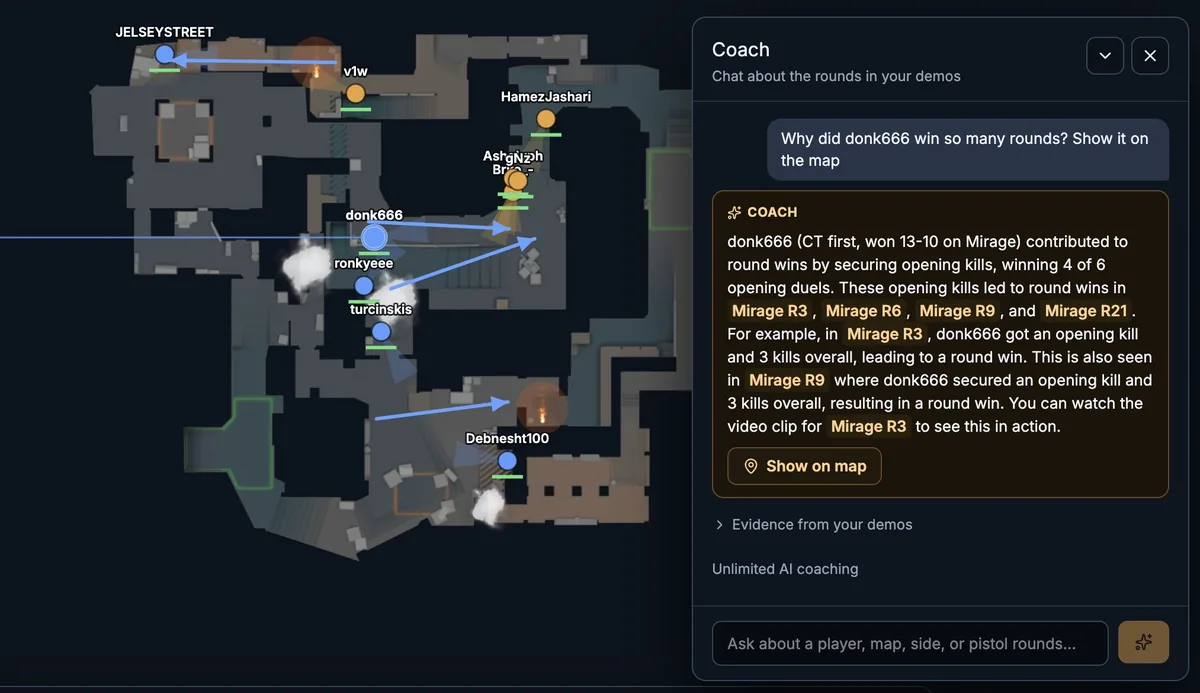
- Do I need an account? Not to view demos. Signing in with FACEIT is needed for an AI answer in the Coach.
- Does the extension upload my match? The extension prepares the demo and opens the viewer; parsing happens on your device.
- Can I use it offline? Replay of imported demos works without a connection. Highlight clips, FACEIT checks and the Coach need one.
In short
- The viewer and its tools are free.
- The Coach has a weekly AI allowance.
- Demos and drawings stay in your own browser.
- There are no replay links to share; share a screenshot and a round number.
If you ever want to start fresh, remove demos from the Demo library one by one, or clear the site data for the viewer in your browser settings. Doing the second also removes drawings and small settings.
Where to go next
To start, follow how to import and manage demos. Open the free CS2 demo viewer to try it on your own matches, and install the extension if you want a Demo Viewer shortcut on finished match rooms.
Related guides
FACEIT Extender is free for Chrome and Firefox: download it or read what it is and does.
Frequently asked questions
- Do I pay to use the viewer?
- No. Import, replay, Compare, layers, drawing tools and Stats are free.
- Is there a limit on demos?
- The viewer does not impose a demo limit; your browser’s storage is the practical limit.
- Can I share a replay link?
- Not as a saved replay. Drawings and demos are stored in your own browser, so there is no shareable replay link.
Comments
Comments load in your browser.