
Guide
FACEIT Extender privacy: what stays local, what is sent
What stays on your device, what optional features send, and the switches that control it.
The summary
FACEIT Extender processes most public FACEIT data locally in your browser, and only optional supporter, contact, badge and AI features send the data they need to our servers.
Most features process public FACEIT profile, match and performance data locally in your browser. Optional supporter, contact, badge and AI features send only the data they need to our servers. This guide summarises the Privacy Policy, which is the full text and takes precedence.
What stays in your browser
- Your settings and the notes and tags you add to players.
- Demos you open or analyse in the demo viewer. They are processed in your browser and stay on your device.
- Public FACEIT data the extension reads to build player cards, map stats and the other displays.
The extension shows a few images, such as the screenshots in the setup tour and the optional emote badges, which it loads from our servers. Like any image request, it reaches our server with your IP address and browser details. No account or identifier is attached.
What optional features send

| Feature | What is sent |
|---|---|
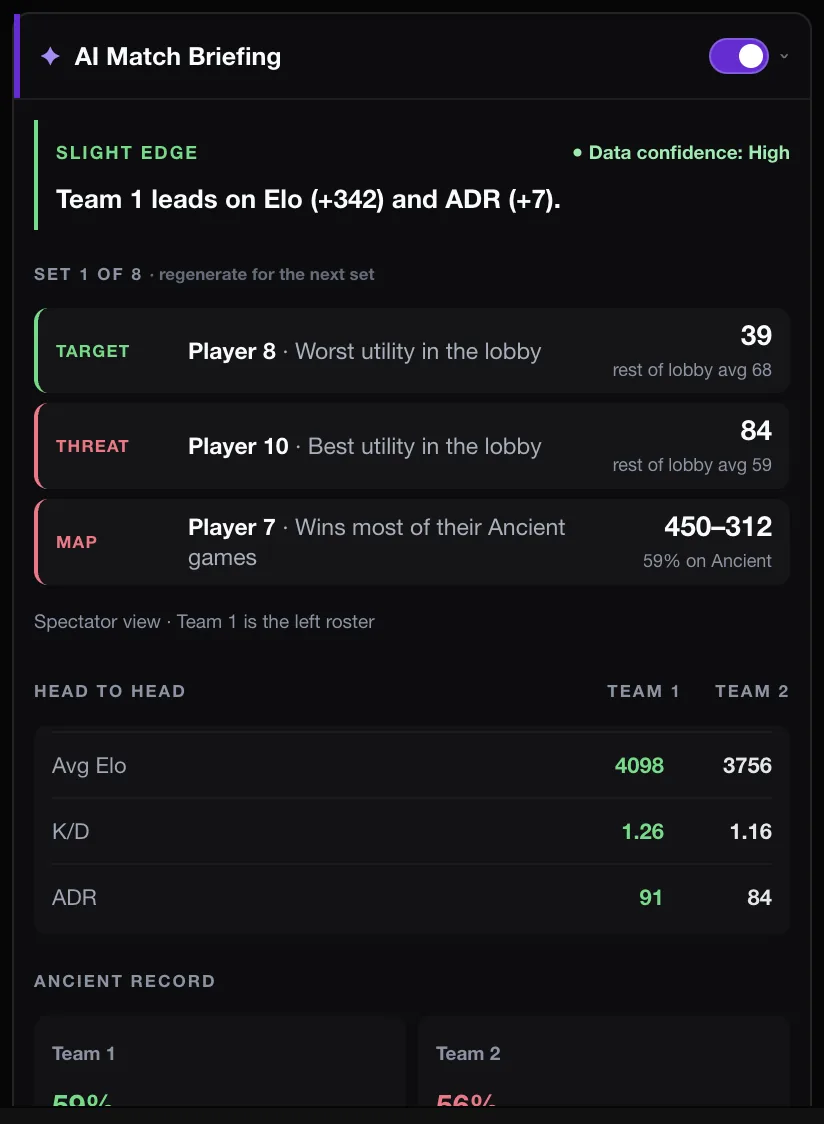
| AI Match Briefing | Your public nickname and player id, and a statistics-only summary. |
| AI coach questions | The question and a small selection of round data, sent encrypted. Providers receive only what that request needs. |
| Supporter and claim codes | The data needed to verify purchases and show supporter badges. |
| Anonymous usage statistics | The installed version and which match room features were used. Switch off in setup. |
| Contact form | What you type, such as your email and message. |
| When FACEIT is unavailable | The same public profile or match being looked up, loaded through our servers. |
The extension never sends your FACEIT login or session to our servers. Features that act on your account use your existing FACEIT session only after you enable them.
Your controls
- Open the popup and switch off any feature you do not want. Every feature is a separate switch.
- Replay setup from the General tab to change the anonymous usage statistics and the partner minigame.
- Turn off Enable Extension to pause everything, or uninstall to stop all processing.
- Switch off Enable Commercial in the General tab if you do not want the optional sponsored minigame. It is described in our TradeIt.gg partnership post.
- Leave the AI Match Briefing off, or turn off Auto-generate on load, if you do not want it to run unprompted. See the AI briefing guide.
- Sharing your screen? Use Hide ELO and Anonymize player names, described in hiding Elo and anonymizing names.
- Your tracked players and settings live in your browser, so uninstalling removes them. Export your tracked list first if you want to keep it.
- Ask us for access to or deletion of data we hold, using the contact details in the Privacy Policy.
The website is separate
The website has its own settings. Google Analytics runs only if you accept analytics cookies in the cookie banner, and you can change your choice any time with Cookie settings on the Privacy page. Ads on some pages are served by Google AdSense; the extension shows no ads.
To see exactly what the install asks for, read permissions explained. Questions go to the support page, and you can start from the download page.
Using the demo viewer? Its storage and allowance are covered in is the CS2 demo viewer free, and what stays on your device.
Questions worth asking of any extension
Whether you use this extension or another, a few questions help you judge it. These are the answers for FACEIT Extender, at a high level.
- Does it need my password? No.
- Does it run on every site I visit? No, only on faceit.com.
- Does it send my data somewhere by default? Core features work locally. Anonymous usage statistics are on by default and can be switched off in setup.
- Can I turn off what I do not want? Yes, every feature has its own switch.
- Is there a published policy? Yes, the Privacy Policy, with a plain summary above.
You can see how a particular feature works on the features page.
Related guides
FACEIT Extender is free for Chrome and Firefox: download it or read what it is and does.
Frequently asked questions
- Are my demos uploaded?
- No. Demos you open are processed in your browser and stay on your device. If you ask the AI coach a question, the question and a small selection of round data are sent encrypted to generate an answer.
- Do you sell my data?
- No. We do not sell personal information or use it for advertising.
- How do I stop everything?
- Uninstall the extension. That stops all data processing from it.
Comments
Comments load in your browser.