
How-to
CS2 2D replay controls: play, speed, zoom and follow
Everything on the playback bar and the map in Round view, in the order you will use it.
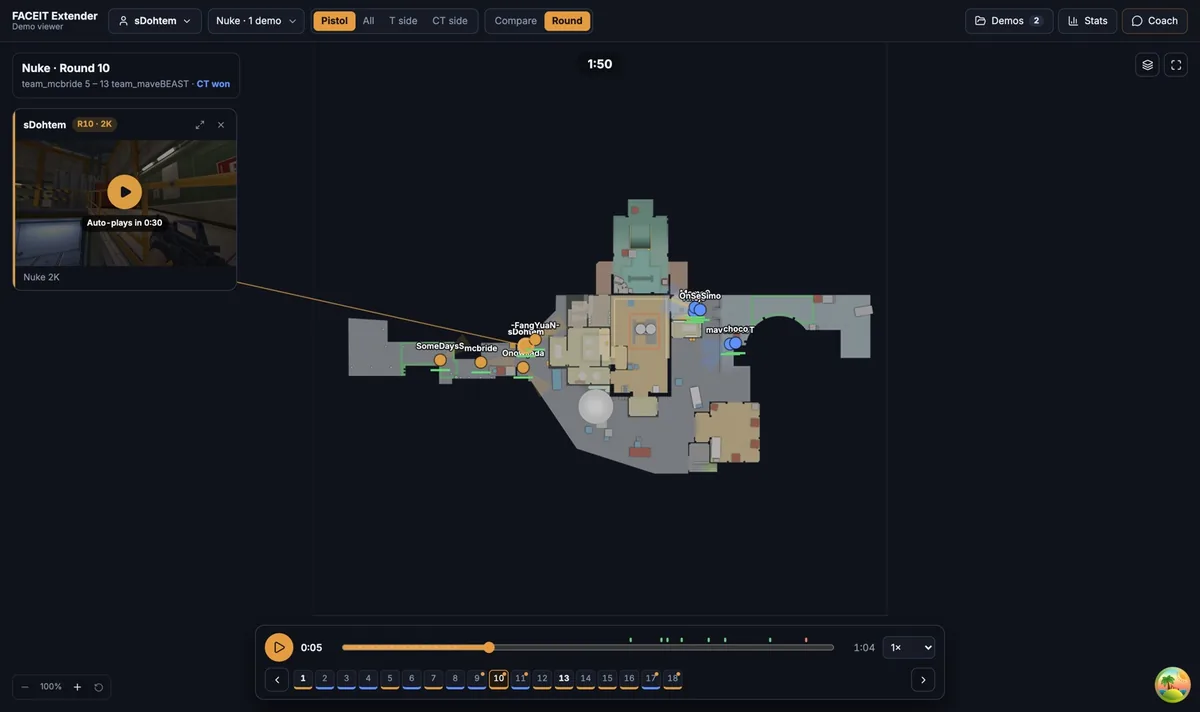
The playback bar
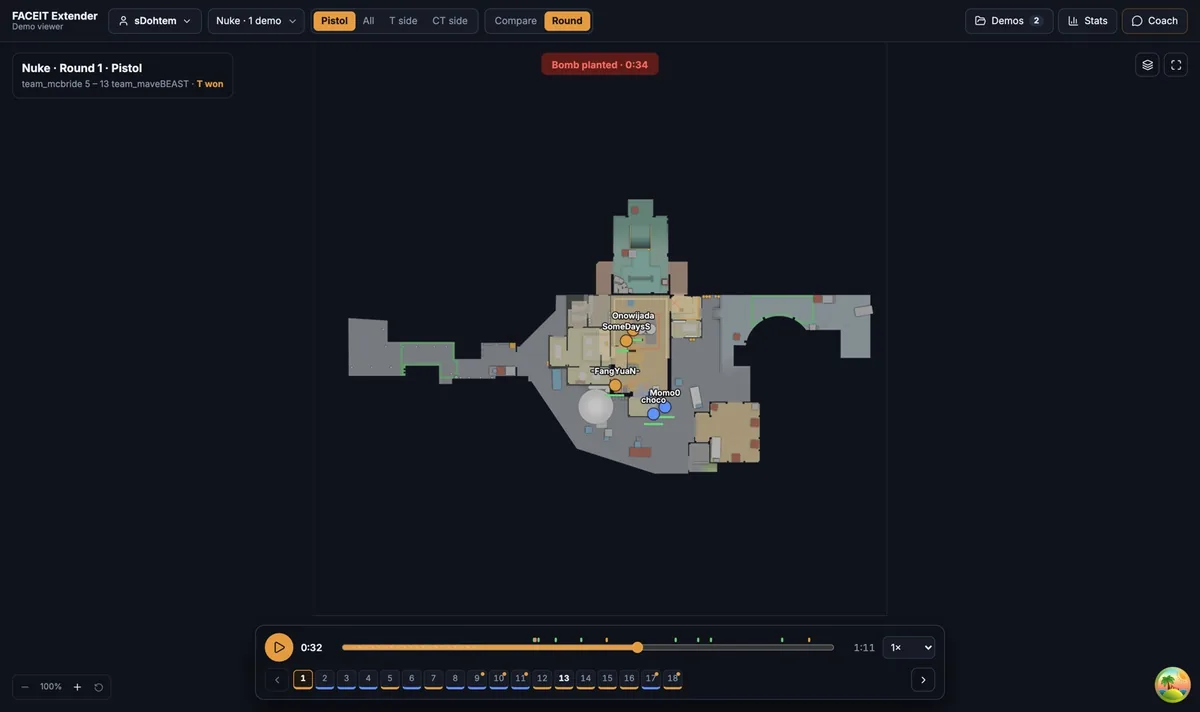
FACEIT Extender's demo viewer has a playback bar with play, pause, speeds from 0.25x to 8x, a timeline, map zoom and a follow-player option.
The playback bar floats at the bottom of the map. From left to right it has the Play or Pause button, the current time, the Playback position slider, the total time and the Playback speed menu.
- Press Play to start the round. Press it again to Pause.
- Drag the Playback position slider to jump anywhere in the round.
- Open the speed menu and choose 0.25×, 0.5×, 1×, 2×, 4× or 8×.
If you press Play after the round has ended, playback restarts from the beginning. The shaded section at the start of the slider is freeze time, so the clock’s zero point is visible.
Use the markers
Small ticks on the slider mark kills, deaths, the bomb and utility moments. Hover a tick for its label. Use them to skip the quiet start of a round and land on the first fight.
Slow the speed to 0.25× when you need to see the order of a trade, and use 4× or 8× to scan a round you have already reviewed.
Move around the map
- Scroll over the map to zoom in and out.
- Drag to pan.
- Click a player, on the map or in the Players tab, to follow them.
- Select the Hand tool (H) from the toolbelt on the left when you want dragging to always pan and never draw.
Rings around a dot show sound the way the in-game radar does: white for footsteps and amber for gunshots. A short line is a shot, and it is red when it hit. Smokes are drawn at their real size.
Change round without leaving the replay
Under the map, the round strip lists every round number. Click a number to open that round, or press [ for the previous round and ] for the next one. Playback continues into the next round when one ends.
Rounds outside your current Pistol, T side or CT side filter are dimmed but still clickable. A dot on a number marks a FACEIT highlight clip, which you can read about in the highlight clips guide.
Learn the keys
You can run the whole replay from the keyboard. The full list is in the keyboard shortcuts reference. The essentials are Space to play and pause, the arrow keys to seek and [ and ] to change round.
A simple way to use these controls
- Pause at freeze end and look at where each team stands.
- Play at 2× until the first sound ring or shot appears, then drop to 0.5×.
- Pause at the first kill and note who traded and who did not.
- Use the round strip to compare how the next round opened.
Working at two speeds keeps you from rewatching dead time, and still lets you study a fight frame by frame.
Where to go next
Next, follow a player through a round or review a round end to end. Open the free CS2 demo viewer to try it on your own matches, and install the extension if you want a Demo Viewer shortcut on finished match rooms.
Related guides
FACEIT Extender is free for Chrome and Firefox: download it or read what it is and does.
Frequently asked questions
- How fast can I play a replay?
- The speed menu offers 0.25x, 0.5x, 1x, 2x, 4x and 8x.
- How do I zoom the map?
- Scroll to zoom and drag to pan. With the Hand tool selected, dragging pans the map and clicking a player follows them.
- What do the ticks on the timeline mean?
- They mark kills and the bomb, so you can jump to the moments that matter.
Comments
Comments load in your browser.