
Reference
CS2 demo viewer keyboard shortcuts
A reference for playback keys, round keys and the single-letter drawing tools.
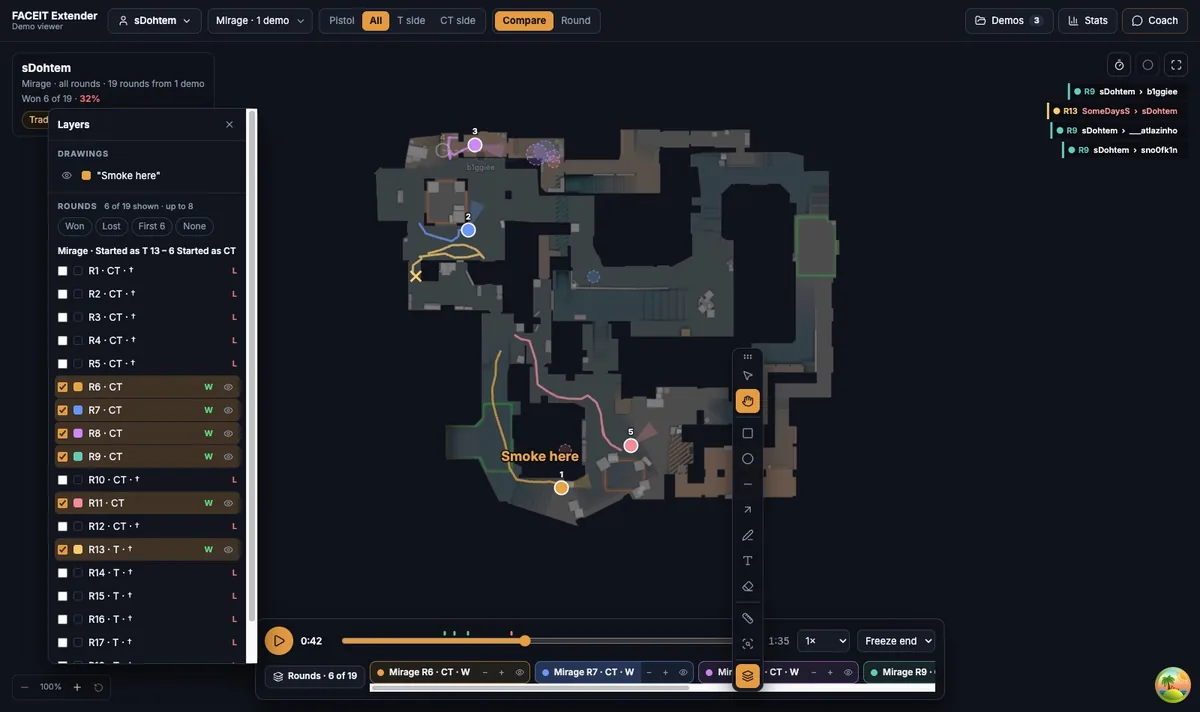
Playback keys
FACEIT Extender's demo viewer supports keyboard shortcuts for play, seek, changing round, opening layers and picking drawing tools; this page lists them all in one table.
These work whenever the viewer is focused and no text field is active. The Help and tours menu in the top bar shows the same short list.
| Key | What it does |
|---|---|
| Space or K | Play or pause |
| Escape | Pause |
| Left or J | Seek back 1 second |
| Right or L | Seek forward 1 second |
| Shift + arrow | Seek 5 seconds instead of 1 |
| Home / End | Jump to the start or end |
| [ and ] | Previous or next round, in Round view |
| F7 | Open or close the Layers panel |
| F | First person, in the 3D view with a player selected |
Sliding the Playback position bar gives the same result when you are using a mouse, and the arrow keys are the fastest way to fine-tune a position.
Drawing tool keys
Each tool on the toolbelt has a single-letter key. Hover a button to see its label and key in the tooltip.
| Key | Tool |
|---|---|
| V | Select and move drawings |
| H | Hand: pan the map, pick a player |
| M | Rectangle |
| U | Ellipse |
| N | Line |
| R | Arrow |
| B | Pen |
| T | Text |
| E | Eraser |
| I | Measure distance |
| Q | Ask the coach about an area |
Undo, redo and delete
- Cmd or Ctrl + Z undoes your last drawing change.
- Shift + Cmd or Ctrl + Z redoes it.
- Delete or Backspace removes the selected drawing.
The Undo and Redo buttons in the drawing options bar do the same thing.
Keyboard habits that save time
- Press Space to pause at a moment you care about.
- Use the arrow keys with Shift to step back five seconds until you see what led to it.
- Press R and drag an arrow to mark it, then V to select and adjust it.
- Press ] to move on to the next round.
The guide to drawing arrows and notes shows the drawing tools in detail.
Remember where the keys apply
Shortcuts apply to the whole viewer page, not to one panel, so you can press Space while the side panel has focus. The exception is any text field: the Coach question box, a layer name, or the text tool all keep your typing for themselves.
Single-letter tool keys are ignored when you hold Cmd, Ctrl or Alt, which keeps browser shortcuts working. If a key seems to do nothing, click an empty part of the page first so no text field is focused.
The question mark button in the top bar opens Help and tours, where the key list is always one click away.
Where to see the result
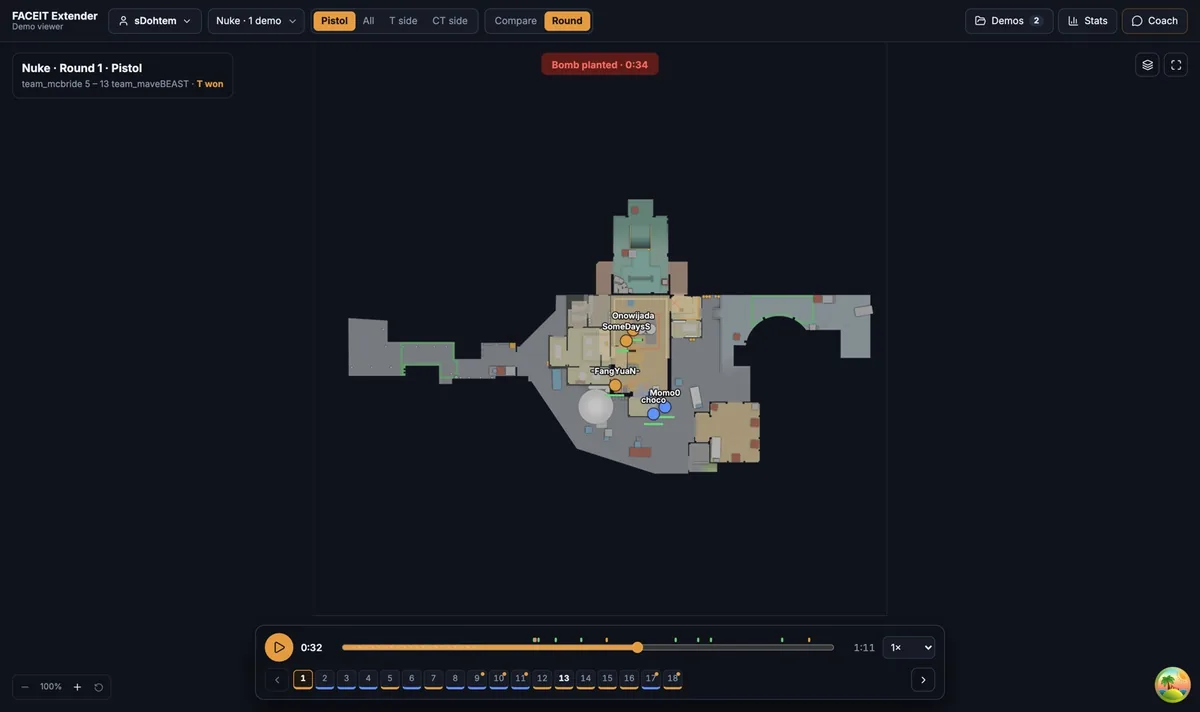
Playback keys move the marker along the timeline under the map, so keep your eyes on the kills and bomb ticks as you press them.
Where to go next
For the playback bar itself, see the 2D replay controls guide. Open the free CS2 demo viewer to try it on your own matches, and install the extension if you want a Demo Viewer shortcut on finished match rooms.
Related guides
FACEIT Extender is free for Chrome and Firefox: download it or read what it is and does.
Frequently asked questions
- Which key plays and pauses?
- Space or K. Escape pauses.
- How do I skip five seconds?
- Hold Shift while pressing the left or right arrow key.
- Do the shortcuts work while I type a note?
- No. While a text field is focused, such as the text tool or the coach box, your typing goes to that field.
Comments
Comments load in your browser.