
Guide
Is FACEIT Extender safe? What is allowed and what is not
What the extension does, which features carry risk, and where responsibility sits. No endorsement is claimed.
The short answer
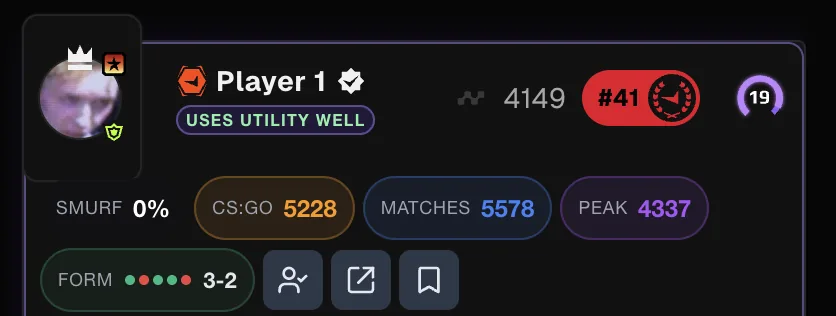
FACEIT Extender is an independent extension that reads public profile and match data; this guide states what it reads, which optional features act on your account and why the platform's own rules still apply.
FACEIT Extender is an independent browser extension. It is not affiliated with, endorsed by, or sponsored by FACEIT Ltd., and nothing here says FACEIT approves it. You must comply with FACEIT’s own Terms of Service and Code of Conduct, and what is acceptable there is FACEIT’s decision, not ours.
What most features do
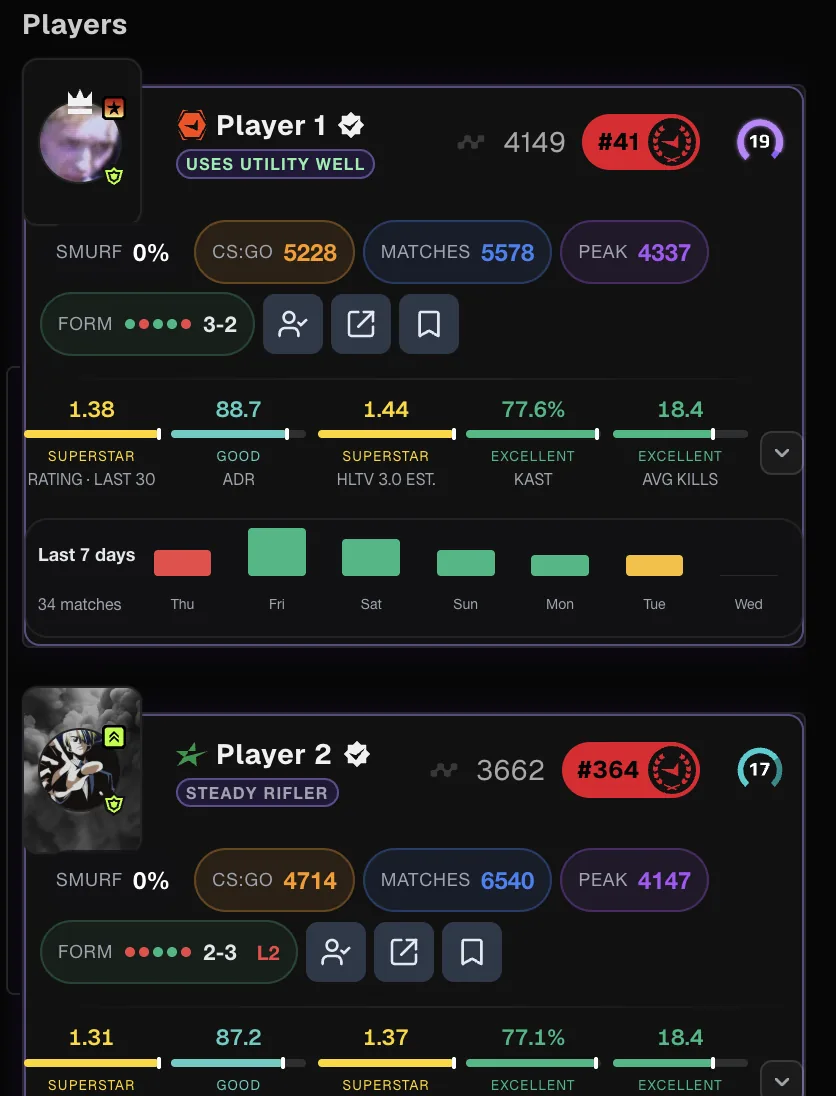
Most features read publicly available FACEIT data in your browser and show it as player cards, stats and panels. They do not touch your gameplay, and they run on faceit.com only. The extension never asks for your password, and it never sends your FACEIT login or session to our servers.
Shown FACEIT data belongs to FACEIT and is for your personal, non-commercial use, as FACEIT’s Terms require. Do not use the extension to scrape or bulk-collect it.
Features that act for you
Some optional features act on your behalf: Ultrablocker, automatic player reporting, and auto-accept and auto-connect.
- All of them are opt-in and off by default.
- The Terms of Service say automating account actions and influencing matchmaking may conflict with FACEIT’s rules, including its rules on third-party software.
- Enabling them is at your own risk and could lead to warnings, cooldowns, restrictions, temporary bans or permanent deactivation of your FACEIT account.
- You decide whether to enable each one. Read the Terms before you do.
Data and security
We do not sell personal information or use it for advertising. Requests to our servers use HTTPS, and most processing happens locally. Optional features send limited data; see what the extension sends and permissions explained.
Install only from the official stores on the download page.
Practical advice
- Start with the Minimal preset if you want mainly read-only information.
- Leave automation off unless you have read the Terms and accepted the risk.
- Features can change or stop working, including when FACEIT changes its website or asks us to.
- Questions? Use the support page.
Questions people ask
Is it a cheat? The extension shows information. It does not read game memory, aim for you or change gameplay. Whether any third-party tool is acceptable to FACEIT is FACEIT’s decision, so read its rules.
Can I use only the safe parts? Yes. Every feature is optional, and the Minimal preset keeps to information. See the features overview.
What if FACEIT objects? The Terms say features may be changed or removed, including when FACEIT asks us to. If you are unsure about a feature, leave it off.
Where to read the rules
Two documents matter. Our Terms of Service describe how to use the extension, including the section on automation features. FACEIT’s own Terms of Service and Code of Conduct set the rules for your FACEIT account. If the two ever seem to disagree, follow FACEIT’s rules for your account. The Privacy Policy covers data.
Related guides
FACEIT Extender is free for Chrome and Firefox: download it or read what it is and does.
Frequently asked questions
- Is FACEIT Extender endorsed by FACEIT?
- No. It is not affiliated with, endorsed by, or sponsored by FACEIT Ltd.
- Can automation get my account banned?
- Enabling automation features is at your own risk. They may conflict with FACEIT’s Terms and could lead to warnings, cooldowns, restrictions or bans.
- Does it touch my gameplay?
- The core features read public data in your browser and do not touch your gameplay.
Comments
Comments load in your browser.