
Guide
How to watch FACEIT demos in your browser without opening CS2
A step-by-step route from a finished match to a local replay, with a practical checklist for reviewing your first death.
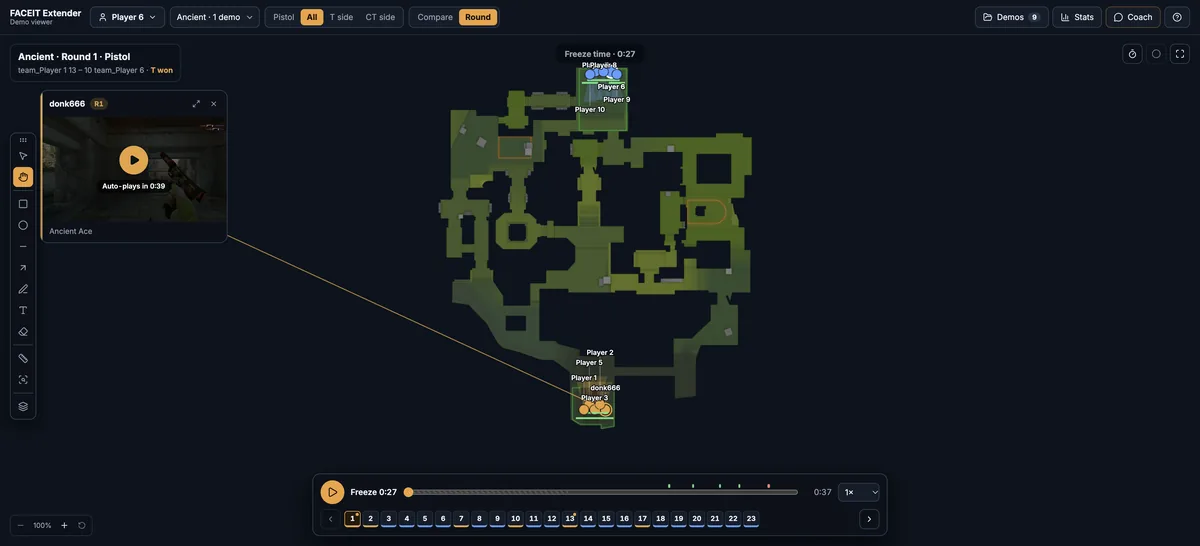
Two ways to open a demo
FACEIT Extender and its free demo viewer let you watch a FACEIT demo in your browser without launching CS2, by opening it from the match room or importing a .dem or .dem.zst file.
You can review a completed match without launching Counter-Strike 2. The free CS2 demo viewer reads the replay file locally and reconstructs player movement, fights and utility on a map. Use a desktop browser for the replay workspace.
If you already have a demo file, open the viewer directly. You do not need the browser extension to import it. If you want a shortcut from a match room, install the extension for Chrome or Firefox and use its Demo Viewer link on a finished match.
A reconstructed replay is useful for routes, timing and team positioning. Use the game’s own demo playback when you need to inspect precise aiming, textures or exactly what a player could see.
Download and import a match manually
- Sign in to FACEIT and open the match room for the completed game you want to review.
- Use the demo download offered by the match room. If no download is available, try a more recent completed game.
- Open the demo viewer and choose Import demos, or drop the downloaded file into the import area.
- Select a .dem or .dem.zst file. Zstandard-compressed demos can be imported directly; you do not need to unpack them first.
- Wait for local parsing to finish, then select a player and round to start the replay.
The file is processed by your browser, so parsing time depends on its size and your computer. Keep the tab open while it works. A demo is match data rather than a video recording: the viewer rebuilds the replay from that data.
For the extension shortcut and the rest of the controls, see the demo review instructions. The shortcut still depends on the source service making the demo available to your account; it cannot restore an expired or missing replay.
Review one question before watching the whole match
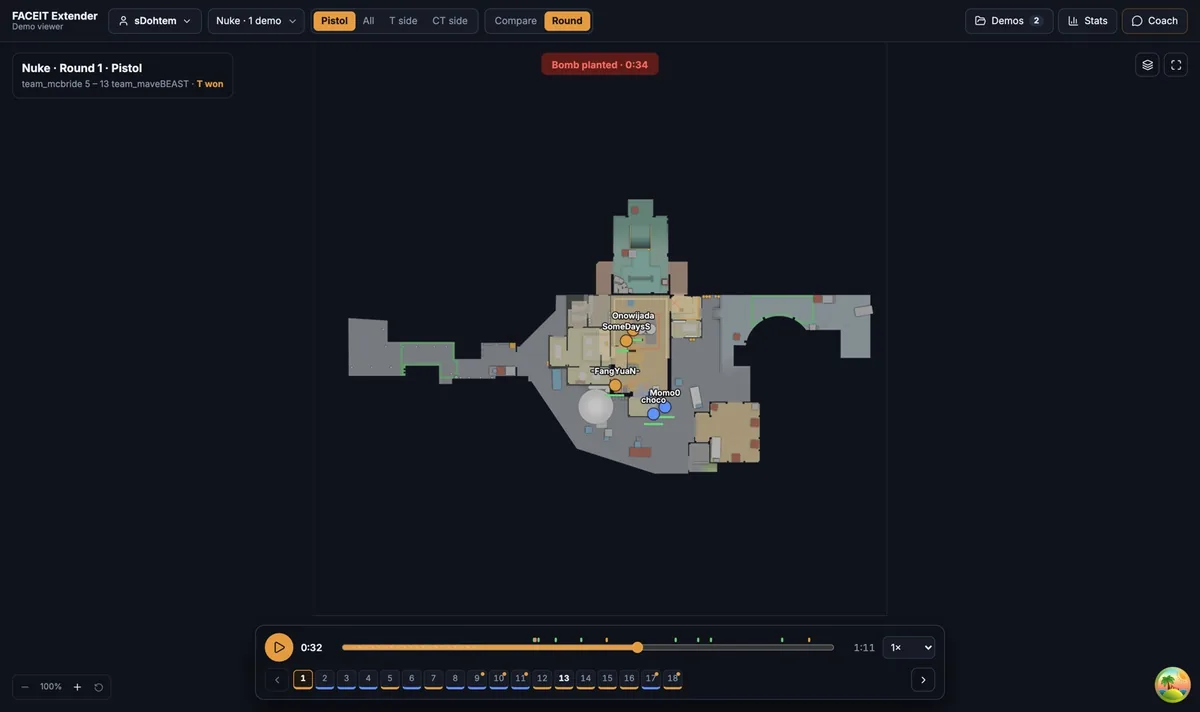
Start with your first death in a round you remember. Select yourself and play the opening. Pause before the fight and check where your nearest teammate was, which route you took and whether utility arrived before or after you committed.
Then open Compare mode and select several rounds for the same player. Compare opening routes and timings on the same map. Separate T and CT rounds and check whether a repeated death came from the same route or from different situations. An overlay helps you find rounds worth inspecting; return to each individual round to check the context.
- Check whether someone was close enough to trade the opening fight.
- Compare a successful rotation with a similar rotation that failed.
- Look at when a grenade arrived relative to the player crossing a choke point.
- Write down one change to try next match, then review whether it helped.
Round results explain what happened, but they do not prove a decision was good or bad. Combine the replay with player stats and their limitations, rather than judging the entire match from one number.
If a download or import does not work
| Problem | Next step |
|---|---|
| No demo download in the match room | Check that the match is completed and try a more recent match. Download availability is controlled by FACEIT. |
| The file is a ZIP or another archive | Extract it first and import the .dem inside. Do not just rename an archive to .dem. |
| Import rejects the file | Use a CS2 .dem or .dem.zst file. A video clip or match-page URL is not a demo file. |
| Parsing fails or the tab runs out of memory | Try one demo at a time, close memory-heavy tabs and download the file again if it may be incomplete. |
| An old demo does not parse | Demo formats can change. Try a recent CS2 match and report the error through support. |
Demo files stay on your device during local replay. Optional AI questions send selected statistics and evidence to the API; the demo file itself is not uploaded. If you need help, include the error message and the steps that triggered it in a support request.
If you are starting from a match room, see how to open a FACEIT match in the demo viewer.
Prefer the in-game route first? See how to watch FACEIT demos in CS2.
Related guides
FACEIT Extender is free for Chrome and Firefox: download it or read what it is and does.
Comments
Comments load in your browser.