
How-to
Demo viewer layers: sound, view cones and kill feed
The Layers tab explained, with advice on which layers to switch on for each question.
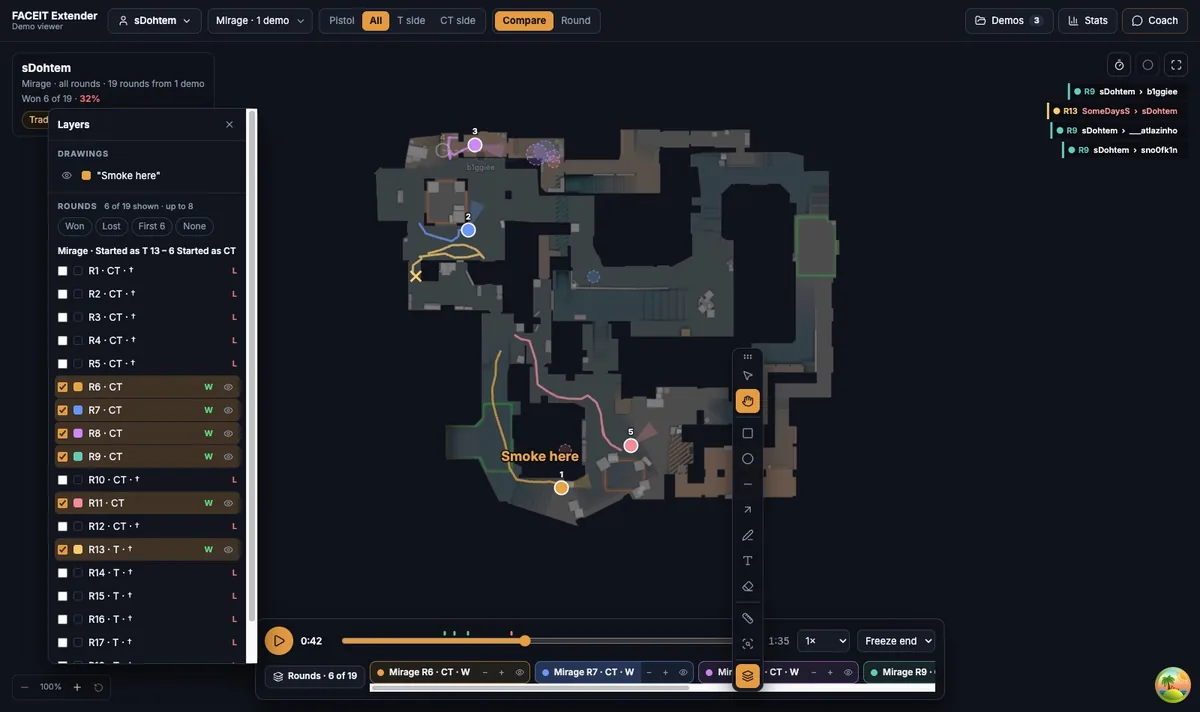
Open the Layers tab
FACEIT Extender's demo viewer lets you choose what the replay map draws, including names, view cones, sound rings, shot tracers, utility, the bomb and the kill feed.
- Open the Layers tab in the side panel, or press F7 on your keyboard.
- Switch each layer on or off in the On the map list.
- Your own drawings are listed underneath in Your drawings.
The line under the tabs says what each tab is for. Press F7 again, or the close arrow, to give the map more room.
Layers in Round view
| Layer | What it shows |
|---|---|
| Names | Player names on the dots |
| View cones | Where each player was facing |
| Sound rings | Footsteps (white) and gunshots (amber) |
| Shot tracers | A short line per shot, red when it hit |
| Paths (12s) | Where each player went in the last 12 seconds |
| Utility | Smokes, flashes, molotovs and grenades |
| Nade trajectories | The flight path of thrown grenades |
| Bomb | The bomb and plant state |
| Kill feed | Kills as they happen |
| Status tags | Per-player status such as defusing |
| Damage numbers | Damage dealt in each exchange |
| Chat | Text chat from the match |
Layers in Compare
Compare has its own list: Round tags, View cones, Paths (12s), Utility, Fights, Sound rings, Shot tracers, Kill feed and Chat. Bomb, status tags and damage are Round view layers, so open a round with the play button in Rounds to see them.
In the 3D compare view, only some layers are drawn: names, paths, utility, sounds, shots and chat. View cones, fights and the kill feed show on the 2D map.
Pick layers for the question
- Who heard whom? Sound rings and Shot tracers on, Names on.
- Why did that duel go wrong? View cones and Damage numbers on.
- How did the team move? Paths (12s) on, Sound rings off.
- Where was utility used? Utility and Nade trajectories on; see the utility guide.
Fewer layers read better. Turn off anything that is not helping your question.
When a layer says reimport
Some layers need data that older imports do not contain, such as shot direction, damage or grenade trajectories. The layer is labelled (reimport demo). Remove the demo from the library and import the file again to enable it.
How to read sound rings
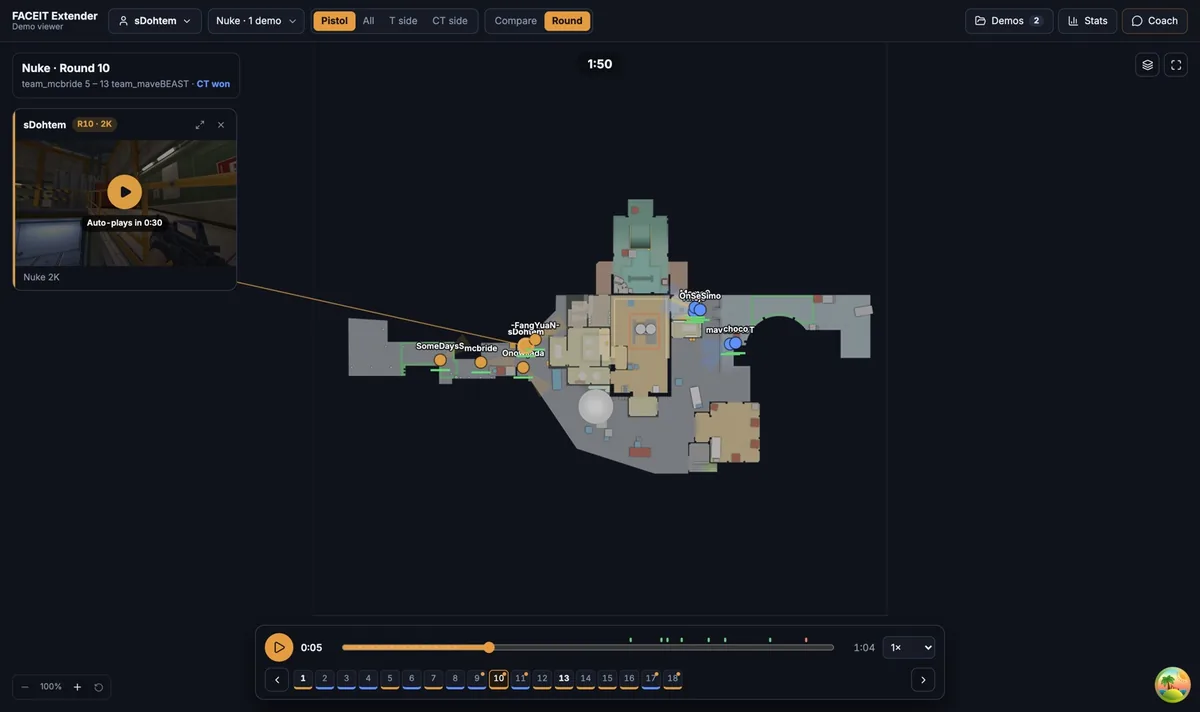
A ring around a dot is a sound the player made. White rings are footsteps and amber rings are gunshots, the same idea as the in-game radar. Large rings are loud. If you see a ring but no dot reacts, the information probably did not reach anyone.
Shot tracers add a short line in the direction of each shot, red when it hit. Together they show where a fight started and who was shooting at whom.
Where to go next
Next, mark what you found with the map drawing tools. Open the free CS2 demo viewer to try it on your own matches, and install the extension if you want a Demo Viewer shortcut on finished match rooms.
Related guides
FACEIT Extender is free for Chrome and Firefox: download it or read what it is and does.
Frequently asked questions
- Where do I turn layers on and off?
- In the Layers tab of the side panel, or press F7 to open it.
- Why does a layer say reimport demo?
- The layer needs data an older import does not have. Import the demo again to enable it.
- Do Compare and Round view have the same layers?
- Not quite. Bomb, Status tags and Damage numbers belong to Round view.
Comments
Comments load in your browser.